






Your FASTag is Non-Negotiable
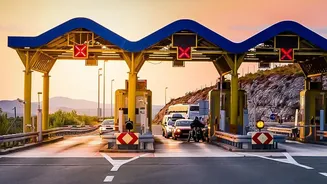
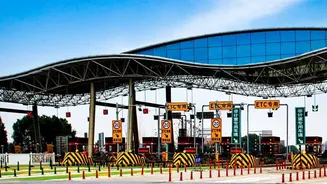
Gone are the days of fumbling for cash at toll booths. On National Highway 48, the key route connecting Delhi and Jaipur, FASTag is mandatory. This electronic toll collection system uses a simple RFID sticker on your windscreen to automatically deduct
toll charges from a linked prepaid account. As of early 2026, many toll plazas, including all three on the Manesar-Jaipur corridor, have been converted to a barrier-free Multi-Lane Free Flow (MLFF) system. This means no stopping at all; AI-based cameras and sensors detect your tag as you drive through. A functional FASTag is not just a convenience anymore—it's a necessity for a seamless drive.
The High Cost of an Invalid Tag
Entering a toll lane with an invalid, blacklisted, or zero-balance FASTag can be a costly mistake. If your tag is non-functional and you pay in cash, you'll be charged double the standard toll fee. To encourage digital transactions, a provision allows non-FASTag users to pay via UPI, but this still comes at a 25% surcharge over the regular toll amount. For instance, a standard ₹100 toll would become ₹125 if paid via UPI without a working tag, and a hefty ₹200 if paid in cash. These penalties are designed to ensure compliance and reduce congestion, making a pre-trip check a smart financial move.
How to Check Your FASTag Status
Before you start your car, a quick two-minute check can save you from future headaches. The easiest way is to use the official 'My FASTag' app or the website of the bank that issued your tag. Simply log in with your registered mobile number or vehicle details to view your current balance and transaction history. Most UPI apps like Google Pay, PhonePe, and Paytm also have a dedicated FASTag section where you can check the balance. This will also show if your tag has been 'blacklisted', which usually happens due to insufficient funds or KYC issues. A quick recharge is all it takes to reactivate a blacklisted tag.
Last-Minute Recharge Options
Realised your balance is low just as you’re about to leave? Don’t panic. Recharging your FASTag is instant and can be done through multiple platforms. Your bank’s mobile app, net banking portal, and various UPI apps are the most common methods. These recharges typically reflect in your account almost immediately, though it's wise to do it at least a few minutes before you approach the first toll plaza. Some banks also allow for setting up automatic recharges when your balance dips below a certain threshold, a useful feature for frequent travellers.
Beyond the Balance: Other Potential Issues
While a low balance is the most common culprit, other issues can also cause your FASTag to fail. A damaged or improperly placed tag on the windscreen can prevent the RFID scanner from reading it. Ensure the tag is affixed in the centre of the front windscreen, behind the rear-view mirror, and is free from any damage or obstructions. Another issue can arise if you've recently bought a second-hand car and the FASTag is still linked to the previous owner's account. It's crucial to get a new FASTag registered in your name to avoid payment failures and ensure toll deductions are linked to your account.
What If It Fails on the Road?
Even with a healthy balance and a well-placed tag, technical glitches can happen. If a toll plaza reader fails to scan your tag, stay calm. Under the new barrier-free system, especially on the Delhi-Jaipur highway, an Automatic Number Plate Recognition (ANPR) system works in tandem with FASTag. In case of a failed read, you might receive an e-notice via SMS or email to pay the toll online within a specified time frame, usually 72 hours. Ignoring this notice could lead to penalties. If a technical issue results in an incorrect double deduction, you can report it to your FASTag issuer to request a reimbursement.