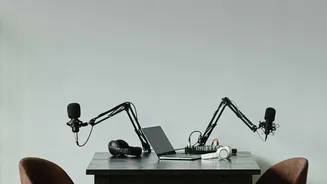







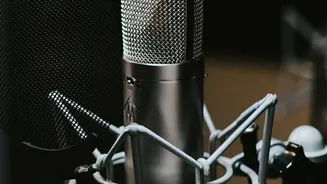
Why Crystal-Clear Audio is Non-Negotiable
In the world of content creation, audiences have high expectations. While they might forgive slightly shaky camera work, they are far less tolerant of bad audio. If viewers can't clearly hear what's being said, they are likely to click away. Background
noise, reverb, and inconsistent volume levels are distracting and signal a lack of professionalism. For years, fixing these issues required expensive software and the technical skills of an audio engineer. This created a significant barrier for independent creators, small businesses, and anyone on a tight budget. The alternative was to compromise on quality, but in a crowded digital landscape, high-quality audio is a key differentiator that builds trust and keeps your audience engaged.
The AI Revolution in Sound Editing
Traditional noise reduction methods often involved complex, manual processes. This could include using equalizers to notch out humming frequencies or applying noise gates that simply silence audio below a certain volume, often cutting off quiet speech. AI-powered tools work differently. They are trained on vast libraries of clean speech and various types of noise. This allows the AI to intelligently identify and separate the human voice from unwanted background sounds like traffic, wind, or electronic hums. Instead of just crudely cutting out frequencies, the AI essentially reconstructs the voice while discarding the noise. The result is a much cleaner, more natural-sounding track, achieved in a fraction of the time.
The Advantage of 'Open-Source'
The term "open-source" means the software's underlying code is made freely available for anyone to use, inspect, modify, and distribute. For video creators, this has two huge benefits. The first and most obvious is cost: these tools are free to use, levelling the playing field and removing a major financial hurdle. The second benefit is community-driven innovation. Open-source projects are often supported by a global community of developers who contribute to their improvement. This means new features and better performance are constantly being developed. This transparency and collaborative spirit stand in contrast to proprietary "black box" software where you have little control or insight into how it works.
Key Open-Source Tools to Explore
One of the most accessible entry points into AI audio cleanup is Audacity, a long-standing free and open-source audio editor. Through a free plugin set called OpenVINO AI Tools, Audacity users can access a 'Noise Suppression' effect. Unlike older methods that require you to sample a piece of pure noise, this AI tool automatically distinguishes voice from background interference. It’s a powerful, one-click solution for cleaning up dialogue in vlogs, interviews, and voiceovers. For developers and more advanced users, projects on platforms like GitHub, such as ClearerVoice-Studio, offer state-of-the-art models for speech enhancement and separation. These tools represent the cutting edge and can be integrated into custom workflows.
Integrating AI Cleanup Into Your Workflow
Adopting these tools doesn't require you to overhaul your entire production process. The workflow is quite straightforward. After shooting your video, you would typically use your video editing software to detach the audio track and export it as a separate file (like a WAV or MP3). You then open this audio file in a program like Audacity and apply the AI noise reduction effect. After listening to the result and confirming it's clean, you export the newly enhanced audio file. The final step is to import this clean track back into your video editor, sync it up with your video, and mute the original, noisy audio track. This simple process can elevate the final quality of your project immensely.