






The Myth of a Single ‘Correct’ Posture
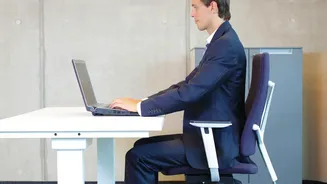
For decades, the gospel of office ergonomics preached a single, rigid ideal: back straight, feet flat, elbows at 90 degrees. While these guidelines have their place, the real danger lies in holding any single position for too long. This is known as static
posture, and it can inhibit blood flow, damage muscles, and cause pain in the back, neck, and shoulders. The human body is designed for movement. Prolonged sitting, even in a so-called “good” posture, has been linked to a host of health issues, from musculoskeletal disorders to an increased risk of chronic diseases. The modern, healthier approach is dynamic working—an environment that encourages you to constantly shift, adjust, and change your position throughout the day. As physiotherapists often say, your best posture is your next posture.
Rethink Your Desk: The Sit-Stand Solution
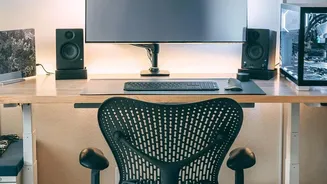
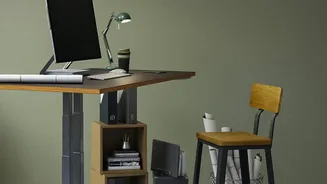
The most powerful tool for introducing movement is a height-adjustable or sit-stand desk. These allow you to seamlessly transition between sitting and standing, which increases muscle engagement, improves blood flow, and can reduce pressure on the lower back. However, simply swapping sitting for standing isn't a silver bullet; standing statically for hours can also cause discomfort and fatigue. The goal is alternation. Try to change your position every 30 to 45 minutes. Start by standing for short periods, perhaps 15 minutes every hour, and gradually increase the duration as your body adapts. If a full sit-stand desk isn't an option, a desktop converter can offer similar flexibility by turning any fixed-height surface into a dynamic one.
Your Chair Is for Motion, Not Just Support
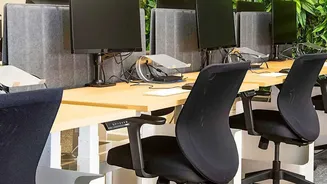
Your chair shouldn't be a trap. Instead of locking it into one position, think of it as a home base for movement. An ergonomic chair with an active back mechanism allows you to lean back and change your posture frequently. Even better are forms of “dynamic seating,” which actively encourage micro-movements to maintain balance. This can include ergonomic stools with a rounded base, kneeling chairs, or even an exercise ball used for short periods. These options engage your core and back muscles, stimulate circulation, and prevent the stiffness that comes from being locked in place. The key is to choose a chair that supports you but doesn't restrict your ability to shift and adjust naturally.
Arrange Your Space to Encourage Reach and Rotation
Beyond the big-ticket items, the arrangement of your tools can have a huge impact. Instead of keeping everything within immediate arm’s reach, strategically place items to encourage gentle movement. Position your monitor directly in front of you but place a frequently used item like a notebook, phone, or water bottle slightly to the side to encourage trunk rotation. If you use dual monitors, place the primary one head-on and the secondary one angled inward to promote turning your head and torso. Consider moving your printer or bin to another corner of the room, forcing you to get up and walk. These small, incidental movements add up, breaking up long periods of inactivity without interrupting your workflow.
Build a Routine of Micro-Breaks and Stretches
Ultimately, the most movement-friendly workstation is one you're willing to step away from. No piece of equipment can replace the benefit of taking regular, short breaks. Set a reminder to get up and walk around for a few minutes every hour. When you’re on a phone call, stand up and pace around the room. Incorporate simple desk-based exercises into your day, such as gentle neck tilts, shoulder rolls, or back stretches like the cat-cow pose. Even small actions count, like using a footrest to change your leg position or simply standing up to stretch during a brief pause in your work. These habits, combined with a workspace designed for motion, are the foundation of a healthier and more comfortable workday.