





From Blank Page to First Draft in Minutes
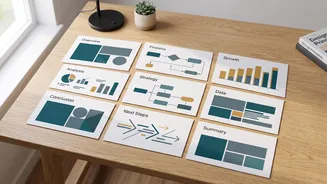
The single biggest time-saver with modern AI tools is their ability to eliminate the 'blank slide' problem. Instead of starting from scratch, platforms like Gamma and Tome allow you to input a simple prompt or an outline. For example, a prompt like “Create
a 10-slide presentation on the impact of climate change on Indian agriculture” can generate a structured deck with a title slide, introduction, key points, and a conclusion within seconds. This process transforms what used to be an hour of brainstorming and structuring into a task that takes less than a minute. The AI handles the initial heavy lifting of organizing your thoughts into a logical flow, giving you a robust first draft to work with immediately. This allows you to focus your energy on refining the content rather than building the scaffolding.
Automated Design That Looks Professional
How much time have you wasted trying to find the right template, choosing a colour scheme, or making sure your images are aligned perfectly? For many students, design is the most time-consuming part of slide creation. AI presentation makers automate this entire process. Tools like Beautiful.ai are built with 'design guardrails' that automatically apply professional layouts, ensuring consistency across your slides. You add your content, and the AI handles the formatting—adjusting font sizes, reformatting layouts, and maintaining visual balance. Others, like Canva AI, offer vast template libraries and then use AI to help you populate them consistently. This means no more manually adjusting every text box or image. The result is a polished, professional-looking deck without the hours of frustrating manual work, freeing you up to concentrate on the quality of your research and arguments.
Intelligent Content and Research Assistance
Beyond just structure and design, AI plugins can act as a powerful research assistant. Many tools can take a document you provide—like a research paper, class notes, or a PDF—and generate a summary presentation based on that specific material. This 'source-grounded' approach ensures the content is accurate and relevant to your own work. Furthermore, these tools can help you brainstorm talking points for each slide, suggest relevant images to illustrate your concepts, and even rewrite sections of text for clarity or to fit a specific tone. If you're stuck on how to phrase a complex idea, you can ask the AI to offer alternatives. This doesn't replace the need for your own research and understanding, but it significantly cuts down the time spent synthesising information and crafting the narrative of your presentation.
A Note on Academic Integrity
The power of these tools comes with an important responsibility. Using AI to generate a presentation is not cheating, but submitting AI-generated work as entirely your own without disclosure can be considered academic misconduct. Most universities are developing policies that encourage responsible AI use. The key is to use these plugins as a 'smart assistant'—a tool for brainstorming, structuring, and designing—not as a replacement for your own critical thinking. Always verify the information the AI provides, as it can sometimes be inaccurate. The final presentation, its arguments, and its conclusions must be your own. The best practice is to use AI to build the shell and then fill it with your own knowledge, insights, and research. When in doubt, always check your institution's specific guidelines on using AI tools.