





Beyond Standard GPS: The Satellite Advantage
We’re all used to seeing the familiar red, orange, and green lines on our navigation apps. This data primarily comes from the anonymised speeds of other users on the road. While useful, it’s reactive; it tells you where a jam has already formed. Real-time
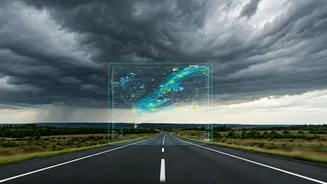
satellite imagery, combined with other data sources, offers a more proactive approach. This technology allows mapping services to analyse vast areas simultaneously. Instead of just knowing a road is slow, systems can potentially identify the *why* on a larger scale—like widespread waterlogging across a neighbourhood that hasn't yet been reported by individual drivers. This bird's-eye view helps predict how a small jam could cascade into a major gridlock, giving you a chance to reroute before you’re caught in it.
Your Toolkit: The Right Apps for the Rain
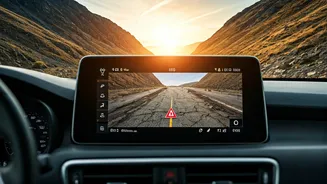
While many apps promise real-time traffic, a few stand out for their robust integration of multiple data sources, making them invaluable during the monsoon. **Google Maps:** The undisputed leader, Google Maps combines satellite imagery with live crowd-sourced data from millions of Android phones. During the monsoon, it actively incorporates flood warnings and road closure alerts, often marked with specific icons. Its predictive traffic algorithms are constantly learning, factoring in weather patterns to estimate travel times more accurately. **MapmyIndia Mappls:** This homegrown platform offers a compelling alternative with hyper-local insights. Mappls prides itself on detailed, block-by-block data and often includes alerts specific to Indian road conditions, like potholes and waterlogging. Its integration with government alerts and user-generated reports makes it a powerful tool for navigating the unique challenges of Indian city monsoons.
How to Read the Signs: A Proactive Approach
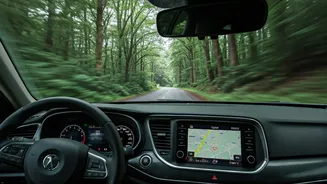
Simply following the blue line isn't enough when the weather turns. To truly leverage this technology, you need to think like a strategist. Before you leave, don't just check your primary route. Zoom out and examine the alternative routes suggested by the app. Look for clusters of red lines or road closure icons near low-lying areas or known choke points. Sometimes, a slightly longer route that avoids these problem zones is significantly faster. Pay close attention to any visual cues on the map itself. Some apps are beginning to use shaded overlays to indicate flooded areas, giving you a clear visual warning to stay away. This proactive check, done 15 minutes before you depart, can be the difference between a smooth ride and a multi-hour ordeal.
Become Part of the Solution
These systems are not just powered by satellites; they are powered by people. Your input is crucial for making the data more accurate for everyone. If you safely can, contribute to the collective knowledge. When you encounter a flooded street, a fallen tree, or a new roadblock that isn't on the map, use the app's reporting feature. On Google Maps, it’s the '+' icon; on Mappls and Waze, it's a core function. By reporting a hazard, you are providing a ground-truth data point that, when combined with others, helps the system validate and update its information for thousands of other commuters in near real-time. This feedback loop makes the entire network smarter and more resilient.
Understanding the Limitations
While powerful, this technology is not infallible. Heavy, persistent cloud cover—a hallmark of the monsoon—can interfere with certain types of optical satellite imagery. That's why most platforms use a hybrid model, blending satellite data with user reports, GPS pings, and information from municipal authorities. Furthermore, the situation on the ground can change in minutes. A flash flood can submerge a road far faster than any system can update. Therefore, treat these apps as powerful advisors, not absolute guarantees. Always maintain situational awareness, listen to local emergency broadcasts, and never attempt to drive through deep or fast-moving water, no matter what your navigation app says.