





The Rise of the AI Co-Pilot
Welcome to the new era of presentation design, powered by artificial intelligence. AI presentation software is a category of tools designed to do the heavy lifting for you. Instead of manually creating every slide, choosing layouts, and formatting text
boxes, these platforms can generate a full, well-designed deck from a simple text prompt or outline in minutes. For a busy college student, this technology is a game-changer. It’s not about replacing your ideas; it’s about giving those ideas a professional structure and visual appeal, freeing you up to focus on the quality of your content and the confidence of your delivery. Think of it as a brilliant design assistant who works at lightning speed, helping you get from a raw concept to a polished first draft.
Step 1: Your Outline Is Everything
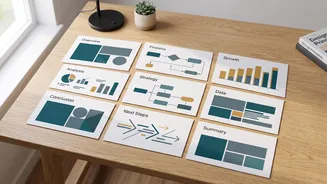
The golden rule of using AI is that the quality of your output depends entirely on the quality of your input. A vague prompt like "make a presentation about Indian history" will yield a generic, uninspired result. To get crisp, relevant slides, you need to start with a structured outline. Before you even open an AI tool, refine your notes into a clear hierarchy. Use main headings for your key slide topics and bullet points for the supporting details you want on each slide. A well-organized outline acts as a precise blueprint for the AI, telling it exactly how to structure the narrative. For example, instead of a single point, break it down: a main idea as the slide title, followed by three to four sub-points that the AI can use as the body content. This simple step is the single most effective way to guide the AI toward the result you want.
Step 2: Choose the Right Tool for the Job
The AI presentation market has exploded with options, but a few stand out for student needs. Your choice depends on your priority: speed, design control, or integration. Gamma is often praised for its speed and ability to create beautiful, web-native presentations (called 'cards') from a simple prompt or outline. It excels at quickly generating a visually engaging deck that feels modern and fluid. On the other hand, Beautiful.ai is the top choice when design consistency is paramount. Its 'smart templates' automatically adapt as you add content, ensuring every slide looks polished and professional without you having to manually adjust layouts. This prevents the messy, inconsistent look that can happen with other tools. Other popular choices include Canva's Magic Design, which is great if you already use Canva for other projects, and Microsoft Copilot if it's provided by your university.
Step 3: Generate and Review the First Draft
Once you have your outline and have chosen a tool, the magic happens. The process is typically straightforward: you paste your structured outline into the text box, select a visual theme or style, and click 'generate'. In less than a minute, the AI will produce a complete slide deck, complete with titles, body text, and even suggested imagery. Now comes the review. Read through the entire presentation. Does the narrative flow logically? Is the information accurate? The AI's first draft is just that—a draft. It's a starting point, not the final product. Check the text for any awkward phrasing or factual errors. The AI is generating content based on patterns, and it can sometimes misinterpret context or generate statements that need verification.
Step 4: The Human Touch That Makes It 'Crisp'
This final step is what separates a generic AI presentation from a truly crisp and compelling one. Here is where you add your unique insights and academic voice. First, edit the text. Rewrite sentences to sound more like you. Add specific examples from your lectures, readings, or your own research that the AI wouldn't know. Second, fact-check everything. Verify any statistics, dates, or quotes the AI has generated. Third, customize the visuals. Swap out generic stock photos for more relevant diagrams, charts, or images that better support your points. Most AI tools allow you to easily edit, regenerate, or upload your own visuals. This human curation transforms the presentation from something made by an algorithm into something that is truly yours.