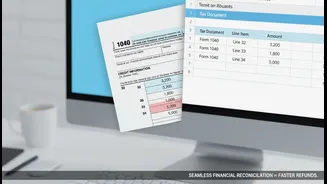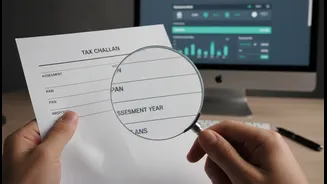







Understanding the Tax Challan
Before diving into corrections, let's quickly clarify what a tax challan is. Think of it as the official form you use to pay your taxes to the government. The most common one for individual taxpayers is Challan ITNS 280, which is used for paying self-assessment
tax, advance tax, and other income tax dues. Getting the details on this form right is crucial for ensuring your payment is correctly credited to your Permanent Account Number (PAN) and for the right financial year.
Common Mistakes Taxpayers Make
Errors can happen to anyone. The most frequent mistakes include selecting the wrong Assessment Year (AY), entering an incorrect tax amount, or choosing the wrong type of tax payment, known as the Minor Head (e.g., mixing up Advance Tax (100) and Self-Assessment Tax (300)). Other serious errors involve incorrect PAN details or selecting the wrong Major Head, which defines the category of taxpayer (e.g., company vs. individual). Identifying your specific error is the first step toward rectifying it.
The New Online Correction Method
In a move to simplify life for taxpayers, the Income Tax Department has introduced an online challan correction facility on the e-filing portal. This is now the primary method for fixing certain errors and is available for challans related to Assessment Year 2020-21 and later. Through the portal, you can request changes for the Assessment Year, Major Head (tax applicable), and Minor Head (type of payment). To use this, your challan must be 'unconsumed', meaning it hasn't already been used or adjusted in a filed income tax return. This online request can only be made once per challan.
How to Use the Online Portal
The online process is straightforward. First, log in to the Income Tax e-filing portal. Navigate to the 'Services' tab and select 'Challan Correction'. From there, you can create a new correction request. You'll need to identify the specific challan you want to correct, either by Assessment Year or by using its unique Challan Identification Number (CIN). The portal will display your eligible challans. Select the one with the error, enter the correct information, review the changes, and submit the request after e-verifying it using your Aadhaar OTP or Digital Signature Certificate.
Important Timelines for Online Correction
Time is of the essence. The window for making online corrections is limited and varies depending on the error. You have only 7 days from the date of challan deposit to correct the Assessment Year. For mistakes in the Major Head or Minor Head, the window is slightly longer, at 30 days from the challan deposit date. If you miss these deadlines, you will have to resort to the offline method.
When You Must Go Offline
The offline method is for corrections that cannot be handled through the online portal. This includes errors in the PAN itself, corrections for challans from before AY 2020-21, or if you have missed the online correction deadline. This process involves writing a formal request letter to your Jurisdictional Assessing Officer (AO). Your letter should clearly state the error and the required correction, and be submitted along with a copy of the incorrect challan and proof of payment. For certain errors, taxpayers could previously approach their bank branch within a few days of the payment, but contacting the AO is now the standard procedure for significant offline corrections.