





An AI Power-Up For Your Workflow
In a significant move for creatives and marketers, Canva has launched a 'Connected App' for Google Gemini. This isn't a replacement for Canva's existing suite of tools, but a powerful enhancement that lives right inside Google's AI chat interface. Users
can now connect their Canva account to Gemini, allowing them to generate new designs, search their existing Canva content, and even make edits using natural language prompts without ever leaving the Gemini conversation. The integration was announced at Google I/O and represents a major milestone in Canva's strategy to embed its design tools wherever work and ideas begin. This move completes Canva's sweep of the major AI assistants, following similar integrations with Claude, ChatGPT, and Microsoft Copilot.
From Prompt to Polished Design
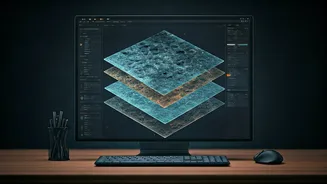
So, how does it work in practice? Within the Gemini chat window, you can simply type "@Canva" to activate the integration. From there, you can ask Gemini to create a design from scratch, like "Create an Instagram post for a summer sale." Gemini will then generate design options using Canva's engine. One of the most groundbreaking features is the ability to turn AI-generated images into fully editable, layered Canva files. This feature, called Magic Layers, solves a common frustration with generative AI, which often produces static, flat images. Now, an image generated in Gemini can be opened in Canva with every element—text, graphics, backgrounds—separated into its own editable layer.
Why This Is a Game-Changer
This integration does more than just save a few clicks; it fundamentally changes the creative workflow. By embedding Canva directly into a leading AI platform, design becomes a seamless part of the ideation process rather than a separate step. For businesses, a key advantage is the connection to Canva's Brand Kit. When you generate a design through Gemini, it can automatically pull in your company's specific logos, fonts, and colour palettes, ensuring that every AI-generated asset is on-brand from the very start. This solves a major bottleneck for teams, who often spend significant time manually adjusting AI content to meet brand guidelines. It democratises high-powered design, putting advanced capabilities into the hands of millions of users who may not be design professionals.
A Strategic Move in the AI Arms Race
Canva's partnership with Google is a savvy strategic play in the increasingly competitive market for AI-powered productivity tools. With competitors like Adobe Firefly and Microsoft Designer also heavily investing in AI, this integration helps Canva maintain its edge by offering access to one of the world's most advanced AI models. For Google, it places Gemini in front of Canva's massive user base, which includes over 220 million monthly active users. By making its design platform the creative layer for all major AI assistants, Canva is positioning itself as an indispensable part of the modern enterprise tech stack. The results are already showing, with Canva reporting that millions of users are coming to the platform through its AI assistant apps.
How to Get Started
Accessing the new feature is straightforward. In your Gemini app settings, you can find and enable the Canva 'Connected App'. After linking your Canva account, the "@Canva" command becomes available in your chats. The rollout began with limited availability on May 19, 2026, and is gradually expanding to all Gemini tiers and Canva plans. Initially launched for mobile, the integration has since become available for desktop users as well, bringing the powerful workflow to every device. This collaboration signifies a shift where the true power of AI lies not just in generation, but in how seamlessly it connects to the tools we use every day to collaborate, refine, and publish our work.