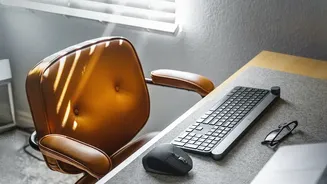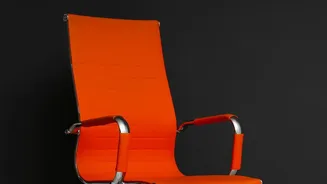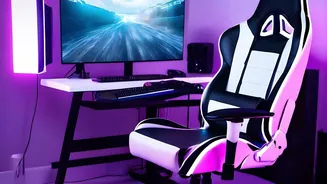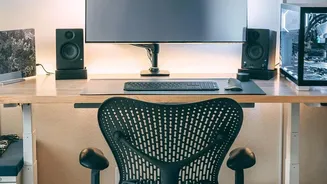





Start With Your Chair: The Foundation
Before you even think about your screen, your chair needs to be your body's best friend. Proper chair setup is the foundation of an ergonomic workspace. Start by adjusting the height so your feet can rest flat on the floor, with your knees at or slightly
below your hips. If your feet are dangling, use a footrest. Next, sit back so your hips are as far back in the chair as they can go. You should feel the chair’s lumbar support fitting into the natural curve of your lower back. If your chair lacks built-in support, a small cushion or a rolled-up towel can work wonders. There should be a small gap—about two to three fingers wide—between the front edge of the seat and the back of your knees to avoid cutting off circulation.
Adjust Your Armrests and Desk Height
With your feet and back in position, it's time to think about your arms. Adjust your armrests so that your shoulders can completely relax. Your elbows should rest gently on them, forming an angle of about 90 to 110 degrees. If the armrests are too high, they’ll force your shoulders to shrug; if they're too low, you'll lean to one side. If they get in the way, it's better to remove them entirely. Your desk and keyboard should be at a height that allows your forearms to be parallel to the floor when typing. This neutral position minimizes strain on your wrists and shoulders.
Position Your Monitor Correctly
Once your chair is set, you can correctly position your monitor. The general rule is to place the top of the screen at or just slightly below your eye level. This allows your eyes to look slightly downward, which is their natural resting position, and keeps your neck in a neutral posture. If you have to tilt your head up or crane your neck down, the monitor is at the wrong height. The screen should be about an arm's length away from you—typically 20 to 30 inches. If you find yourself leaning forward to read, it's too far. A slight upward tilt of the screen, around 10 to 20 degrees, can also improve your viewing angle and reduce neck strain.
Putting It All Together: A Quick Posture Check
Now that everything is adjusted, do a quick check. Sit back in your chair with your feet flat on the floor. Your lower back should feel supported, and your shoulders should be relaxed. Your elbows should be close to your body, and your wrists should be straight when you type. Look forward; your gaze should naturally fall on the top third of your monitor. This aligned position distributes your body weight evenly and reduces the load on your spine. Remember, the goal isn't a rigid, stiff posture but a supported and relaxed one. Even in the perfect setup, it's important to move. Try to stand up, stretch, or walk around for a few minutes every half hour to keep your muscles from getting stiff.