





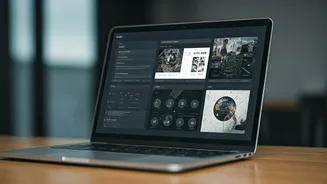


Ditch the Static, Embrace the Dynamic
First, let's define 'dynamic'. A static portfolio is often just a PDF—a collection of finished work with little context. A dynamic portfolio is a living, breathing showcase of your professional journey. It’s typically a personal website or a profile on platforms
like Behance, Dribbble, or GitHub that you can update instantly. Unlike a PDF that becomes outdated the moment you send it, a dynamic link always directs recruiters to your latest and greatest work. This shows that you are current, actively engaged in your field, and constantly improving. It transforms your application from a snapshot in time to a real-time demonstration of your value.
Showcase Process, Not Just Polish
Top recruiters are interested in more than just the final, polished product. They want to understand your thought process. How did you arrive at that solution? What challenges did you overcome? Use your digital portfolio to tell a story. For each project, create a mini case study. Start with the problem or the brief. Then, walk the viewer through your process: the research, the initial sketches or wireframes, the iterations, and the collaboration involved. Use short paragraphs, bullet points, and images to break up the text. This demonstrates critical thinking, problem-solving skills, and resilience—qualities that are far more valuable than a simple gallery of pretty pictures.
Tailor Your Link for Every Application
One of the most powerful features of a digital portfolio is its flexibility. You wouldn't send the same cover letter for every job, so why send the same portfolio? Instead of sending a link to your entire body of work, create custom landing pages or filtered views for specific roles. If you're applying for a UI/UX role, curate a link that showcases only your most relevant design projects. If it’s a content strategy position, highlight your writing, SEO results, and campaign analytics. Many website builders (like Squarespace, Wix, or Webflow) make it easy to create hidden pages that you can share via a unique URL. This small step shows the recruiter that you’ve read the job description carefully and are genuinely interested in the role, immediately putting you ahead of less thoughtful applicants.
Integrate Rich Multimedia Elements
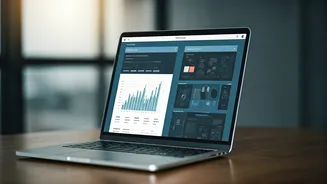
A dynamic portfolio allows you to move beyond static text and images. Embed videos to present a project walkthrough, showcase your public speaking skills, or add a short personal introduction. Use interactive prototypes from tools like Figma or Adobe XD to let recruiters click through your app designs themselves. For developers, linking to live projects or an active GitHub repository is non-negotiable. For marketers, embedding interactive dashboards showing campaign results can be incredibly powerful. These elements make your portfolio more engaging and provide tangible proof of your abilities. They allow the recruiter to experience your work, not just read about it.
Choose Your Platform Wisely
Where you host your portfolio matters. A personal website offers the most control over branding and structure but requires more effort to build and maintain. For creative professionals like graphic designers, illustrators, and photographers, platforms like Behance and Dribbble are industry standards and have built-in communities. For developers and software engineers, GitHub is the undisputed king, serving as a portfolio of your coding skills and collaborative projects. For writers and journalists, platforms like Contently or even a well-organised blog can be effective. Choose the platform that best aligns with your industry's expectations and allows you to showcase your work in the most effective format. The goal is to make it easy for recruiters in your field to find and evaluate your skills.
Prioritise the Recruiter's Experience
Remember that a recruiter might spend less than a minute on your portfolio. Don't make them work to find the good stuff. Your navigation should be intuitive and crystal clear. Your best work—the projects you are most proud of and that are most relevant to the jobs you want—should be front and centre. Ensure your site loads quickly and is fully responsive, looking great on both desktop and mobile devices. A slow, confusing, or broken portfolio reflects poorly on your professionalism and attention to detail. Test your links, check for typos, and ask a friend to navigate it to spot any confusing elements. A seamless user experience for the recruiter is a sign of a thoughtful and professional candidate.