





The Science of Sitting and Spinal Strain
The human spine has a natural S-shaped curve that acts as a shock absorber. However, when you sit for extended periods, especially with poor posture, this curve tends to flatten into a C-shape. This backward pelvic tilt significantly increases pressure
on the intervertebral discs in your lumbar (lower) spine. Studies show that up to 80% of office workers experience musculoskeletal pain, with lower back and neck pain being the most common complaints. For programmers, who often enter deep flow states for hours, this physical toll is even more pronounced. The goal of ergonomics is to maintain a 'neutral spine'—a position that minimizes stress on your muscles, ligaments, and discs. This is not about being rigid, but about creating a supportive environment that allows your body to function without strain.
Step 1: Master Your Chair Height
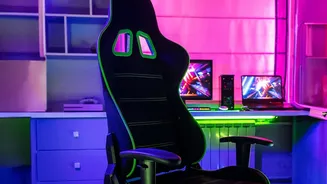
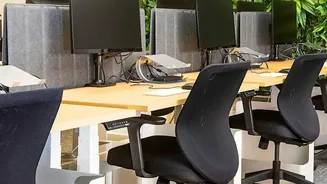
The foundation of an ergonomic setup is your chair height. The primary rule is to adjust your chair so your feet rest flat on the floor, with your knees bent at approximately a 90-degree angle and roughly level with your hips. This posture provides a stable base and distributes weight away from your lower back. If your feet are dangling, it strains your hip flexors and restricts circulation. In this case, a footrest is an essential tool to ensure your feet are properly supported. Conversely, if your knees are significantly higher than your hips, it can cause your pelvis to tilt backward, flattening your spine and increasing pressure. Proper chair height is the first and most critical adjustment to create a chain of good posture from the ground up.
Step 2: Prioritize Lumbar Support
Once your chair height is correct, focus on your lower back. An ergonomic chair should have adjustable lumbar support that fits into the natural inward curve of your spine. This support is vital because it prevents you from slouching and flattening your lumbar curve. When you lose that curve, disc pressure can increase by up to 40%. If your chair lacks built-in adjustable support, a simple rolled-up towel or a dedicated lumbar cushion can serve the same purpose. The key is to ensure the support is positioned correctly in the small of your back, encouraging a neutral, upright posture without forcing you to arch unnaturally. This small feature does the heavy lifting of keeping your spine aligned throughout the day.
Step 3: Correct Your Screen Angle and Height
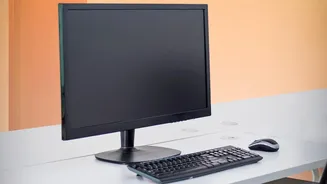
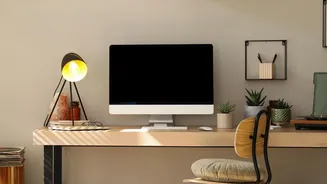
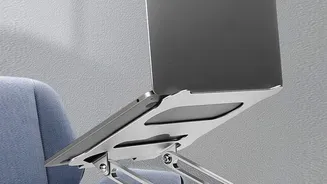
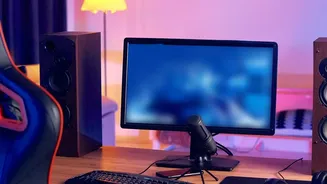
An improperly positioned monitor is a primary cause of neck strain, which often radiates down into the upper and lower back. The rule of thumb is to place your monitor so the top of the screen is at or slightly below your eye level. This allows you to maintain a neutral neck position, without tilting your head up or down. If your monitor is too low, you'll naturally hunch forward, creating that classic "developer hunch" which places immense strain on your neck and spine. The screen should also be about an arm's length away from your eyes—typically 20 to 40 inches. For added comfort and to reduce glare, a slight upward tilt of 10 to 20 degrees is often recommended, as it aligns with the eyes' natural downward resting gaze.
Bringing It All Together for Pain-Free Coding
Your best posture is your next posture. Even with a perfect setup, remaining static for too long is detrimental. Experts recommend changing your position frequently. A popular guideline is the 20-8-2 rule: for every 30 minutes, sit for 20, stand for 8, and move for 2. This doesn't mean you have to interrupt a deep coding session every half hour, but it highlights the importance of integrating movement. Simple stretches, like a spinal twist in your chair or a hamstring reach, can also provide significant relief. Your keyboard and mouse should be positioned close to your body so your elbows can remain at a relaxed 90-degree angle, preventing shoulder and wrist strain. By viewing your workspace as an integrated system, where the chair, screen, and your habits work in concert, you can create a setup that supports your health and enhances your focus.