





Understanding the Special Summary Revision
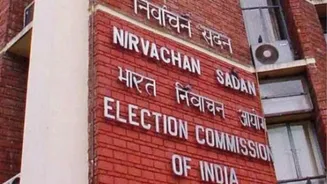
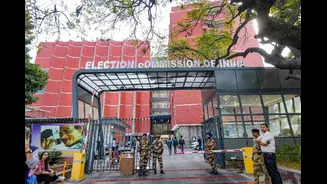
A Special Summary Revision, or SSR, is a routine exercise by the Election Commission to update the country's voter lists. This annual process aims to enrol new, eligible voters who have turned 18, correct any errors in the existing roll, and remove names
of those who have shifted their residence or are deceased. Unlike an intensive revision where the roll is created from scratch, an SSR updates the existing list. A current SSR has been announced for 17 states and UTs, including Uttar Pradesh, Punjab, Goa, and others, with January 1, 2027, as the qualifying date. This means anyone who turns 18 by that date is eligible to register.
Who is Eligible to Register?
To register as a new voter in India, you must meet a few basic but essential criteria. Firstly, you must be a citizen of India. Secondly, you must be at least 18 years old on the qualifying date, which for this drive is January 1, 2027. The ECI now allows for four qualifying dates per year (January 1, April 1, July 1, and October 1), permitting those who will turn 18 on any of these dates to submit their applications in advance. Lastly, you must be an 'ordinary resident' of the polling area of the constituency where you wish to be enrolled. You cannot be registered as a voter in more than one place.
Gathering Your Essential Documents
Before starting the registration process, it’s best to have your documents ready. You will need a recent passport-sized colour photograph. For proof of age, you can use a birth certificate, your Class 10 or 12 marksheet, PAN card, or Aadhaar card. For proof of your current residence, documents like an Aadhaar card, bank passbook, passport, or a recent utility bill (water, gas, or electricity) are accepted. While providing an Aadhaar number is an option on the registration form, it is not mandatory. If you do not have an Aadhaar card, you can still complete your application.
The Online Registration Process: Step-by-Step
The most convenient way to register is online through the ECI’s Voters' Services Portal (voters.eci.gov.in) or the Voter Helpline App. First, you'll need to create an account using your mobile number. Once logged in, select ‘Fill Form 6’ for new voter registration. The form will ask for your personal details, address, and information about your family members. You will then need to upload scanned copies of your photograph and the required proof of age and address documents. After filling out all the details, submit the form. A reference ID will be generated, which is crucial for tracking your application status.
Offline Registration and What to Expect
If you prefer to register offline, you can do so by submitting a physical copy of Form 6. This form can be downloaded from the ECI website or obtained from the office of your local Electoral Registration Officer (ERO) or Booth Level Officer (BLO). After filling out the form and attaching the necessary documents, you can submit it to the ERO or your area's BLO. Following submission (both online and offline), a BLO will conduct a field verification, which may include a visit to your provided address to confirm your details. This is a standard part of the process to ensure the accuracy of the electoral roll.
How to Track Your Application Status
After submitting your application, you can easily monitor its progress. Using the reference ID you received upon submission, visit the Voters' Services Portal and click on 'Track Application Status'. By entering your reference ID, you can see if your application is pending, under verification by a BLO, approved, or if any further action is required from your side. Once approved, your name will be added to the electoral roll, and an Electoral Photo Identity Card (EPIC) number will be generated. You can then download a digital version of your voter ID, known as the e-EPIC.