





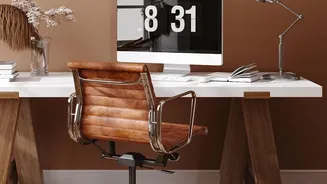

Start With Your Chair
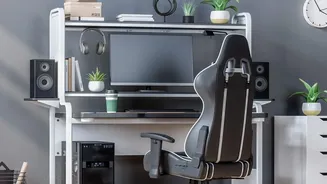
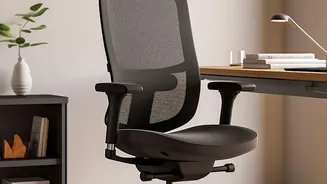
Your chair is the foundation of an ergonomic setup. Before considering a new purchase, see if you can adjust your current one. The goal is to keep your body in a neutral, supported position. Start by adjusting the height so your feet rest flat on the floor
with your thighs parallel to it. Your knees should be at or slightly below your hips. There should be a small gap, about three fingers wide, between the back of your knees and the edge of the seat. If your chair has back support, make sure it fits into the natural curve of your lower back; a rolled-towel or small pillow can also do the trick. Armrests should be positioned to let your shoulders relax and your elbows bend at roughly a 90-degree angle.
Position Your Screen Correctly
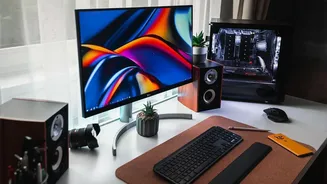
Hunching forward to see your monitor is a primary cause of neck and shoulder pain. To fix this, place your monitor directly in front of you, about an arm's length away. The top of the screen should be at or slightly below your eye level, which prevents you from tilting your head up or down. If you're working on a laptop, the low screen height can cause discomfort. Consider connecting it to an external monitor or using a laptop stand to raise the screen to the proper height while using a separate keyboard and mouse. Also, be mindful of lighting to prevent glare, which can cause significant eye strain.
Arrange Your Keyboard and Mouse
Your keyboard and mouse should be on the same surface and placed close enough that you can use them with your elbows near your body. Reaching for your mouse can strain your shoulder over time. When typing, your wrists should be straight and in line with your forearms, not bent up or down. Many people make the mistake of resting their wrists on a wrist rest while typing, but these pads are designed to support your palms during pauses. Your hands should ideally hover at or slightly below elbow level as you type. This neutral position reduces the risk of repetitive strain injuries.
Declutter and Organise Your Desk
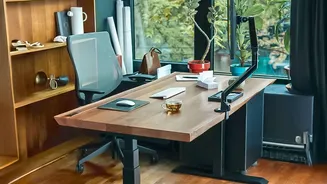
An ergonomic setup is also an efficient one. Keep frequently used objects, like your phone or a notepad, within easy reach to avoid constant twisting and stretching. Don't store boxes or other items under your desk, as this can limit your legroom and prevent you from sitting correctly. If your desk is too high, raise your chair and use a footrest to ensure your feet are properly supported. A stack of sturdy books can work in a pinch. If your desk has a hard edge, consider padding it or using a wrist rest to protect against contact stress. A tidy workspace not only prevents awkward movements but also helps reduce mental clutter and improve focus.
Remember to Move
Even the most perfect ergonomic setup can't negate the negative effects of sitting still for too long. Movement is a critical component of workplace wellness. Aim to change your position every 30 to 50 minutes. Set a reminder to stand up, stretch, or take a short walk. Simple desk exercises like shoulder rolls and neck tilts can also alleviate tension. To combat digital eye strain, practice the '20-20-20' rule: every 20 minutes, look at something 20 feet away for at least 20 seconds to give your eye muscles a break. These microbreaks are crucial for preventing stiffness and fatigue throughout the day.