






Your First Line of Defence: The Device Itself
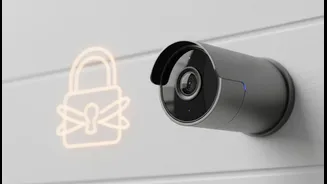
Your first step is to secure the camera hardware and its direct settings. Many security issues arise from leaving the manufacturer's defaults untouched. Start by changing the device's default username and password. Hackers often have lists of these default credentials
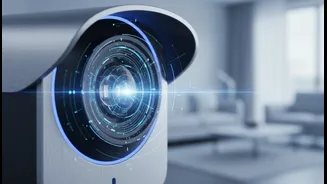
for popular camera models. Create a strong, unique password of at least 12 characters that mixes letters, numbers, and symbols. Next, ensure your camera's software, or 'firmware', is set to update automatically. These updates often contain critical security patches that protect against newly discovered vulnerabilities. Finally, explore the camera’s settings in its app. Features like 'privacy zones' or 'activity zones' allow you to draw areas in the camera's view that it should ignore, preventing unnecessary recordings and protecting the privacy of neighbours or less critical areas of your home. Some cameras also let you adjust motion sensitivity to reduce false alarms from things like swaying trees or passing cars.
The Key to Your Footage: Your Cloud Account
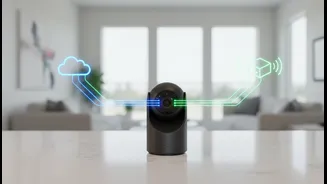
Most smart cameras store video clips in a 'cloud' account, which is just a secure online storage service. Protecting this account is just as important as securing the camera itself. The single most effective tool here is two-factor authentication, often called 2FA. When you enable it, logging in requires both your password and a temporary code, usually sent to your phone. This provides a powerful second layer of security. Always use a strong, unique password for this account—never reuse a password from another service. Beyond passwords, consider where your data is stored. Some cameras offer local storage options, like a microSD card, which means your footage never leaves your home. This can be a more private alternative to the cloud. If you use the cloud, look for services that offer end-to-end encryption. This scrambles your video footage so that only you can view it, preventing even the service provider from accessing your recordings. Finally, regularly review who has access to your account and remove any users who no longer need it.
The Foundation: Securing Your Home Wi-Fi Network
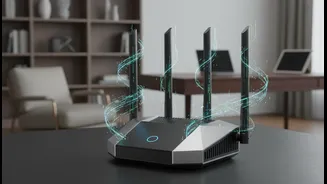
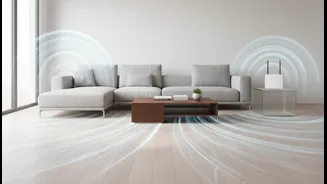
Your smart camera connects to the internet through your home's Wi-Fi network. If your network is insecure, your camera is insecure. Start by ensuring your Wi-Fi router itself is protected with a strong, unique administrative password, not the default one printed on the sticker. Your network should be encrypted with at least WPA2 security, though WPA3 is the newest and most secure standard available on modern routers. A powerful and highly recommended strategy is to create a 'guest network' for all of your smart home devices. Most modern routers offer this feature. By isolating your cameras and other smart gadgets on a separate network, you prevent a potential vulnerability in one device from giving an intruder access to more sensitive devices, like your laptop or phone. You can also enhance security by disabling features on your router that you don't need, such as Universal Plug and Play (UPnP) and remote management, as these can sometimes be exploited by attackers.
Thinking Physically and Staying Vigilant
Beyond digital settings, think about physical security. Place cameras in strategic locations, but avoid installing them where they could be easily reached or tampered with. Be mindful of your neighbours' privacy when positioning outdoor cameras, ensuring they don't capture private areas like windows or backyards. Inside your home, avoid placing cameras in highly private spaces like bedrooms and bathrooms. Some indoor cameras even feature a physical privacy shutter that covers the lens when you're home, offering a clear visual confirmation that it is not recording. Finally, stay vigilant. Periodically review your camera's settings and check the list of devices connected to your network to ensure you recognise all of them. A few simple, deliberate steps can transform your smart camera from a potential liability into a powerful and secure tool for protecting your home.