





Set Your Chair Height First
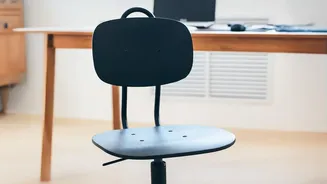
Before you touch your desk or monitor, your chair is the foundation of a pain-free setup. The goal is to create a stable base that promotes good posture. Adjust the height of your chair so your feet can rest flat on the floor. Your thighs should be roughly
parallel to the ground, with your knees bent at approximately a 90-degree angle. This position helps to distribute your weight evenly and reduces pressure on your lower back. If your desk is too high and your feet are left dangling, use a footrest or a sturdy stack of books to ensure your feet are supported and your knees remain at that crucial 90-degree angle.
Perfect Your Lumbar Support
Your spine has a natural inward curve in the lower back, and maintaining this curve is key to preventing strain. Most ergonomic chairs have adjustable lumbar support. Position it so it fits into the natural hollow of your lower back, generally around your belt line. The support should feel gentle and continuous, filling the gap between your back and the chair without aggressively pushing your spine forward. If your chair lacks built-in support, a rolled-up towel or a dedicated lumbar pillow can be a highly effective substitute to prevent you from slouching and flattening your spine.
Position Your Monitor at Eye Level
Hunching forward to see your screen is a primary cause of both neck and back pain. Your monitor should be placed directly in front of you, about an arm's length away. Critically, adjust its height so that your eye level aligns with the top third of the screen. This allows you to look at the center of the screen with a slight downward gaze, keeping your neck in a neutral, relaxed position. If you work on a laptop, the low screen height can cause significant strain. Consider using a laptop stand or a stack of books to elevate the screen, and use an external keyboard and mouse.
Arrange Your Keyboard and Mouse
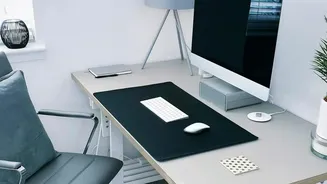
Reaching for your keyboard or mouse can put unnecessary stress on your shoulders and wrists. Position your keyboard and mouse close to the front of your desk and near each other. Your elbows should be bent at a 90 to 110-degree angle, close to your body, with your hands at or slightly below elbow level. This allows your shoulders to stay relaxed. Your wrists should remain as straight as possible while typing or using the mouse, aligning with your forearms. Avoid resting your wrists on a hard desk edge for prolonged periods to prevent contact stress.
Incorporate Movement and Breaks
Even the most perfect ergonomic setup cannot replace the body's need for movement. Sitting for prolonged periods puts continuous pressure on your spinal discs. Aim to get up and move around for a few minutes every hour. Simple actions like standing up to get a glass of water or doing gentle stretches can make a huge difference. Consider incorporating simple office stretches like backward bends, wall push-ups, or hamstring stretches to alleviate muscle tightness and improve circulation. Alternating between sitting and standing, if you have an adjustable-height desk, is an excellent way to reduce static strain.