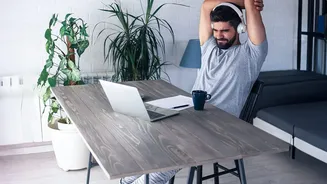








Why Your Workspace Needs a Performance Review
Performance reviews are a standard part of professional life, helping us identify strengths and areas for growth. But have you ever thought about giving one to your workspace? As remote and hybrid work become permanent fixtures, the line between our professional output
and our home environment has blurred. A slow internet connection, a nagging backache, or a distracting background on a video call can impact your performance and how colleagues perceive you. By proactively conducting a 'review' of your setup, you shift from a reactive mindset—fixing things when they break—to a strategic one. This self-audit is about taking control of your environment to ensure it supports your career goals, enhances your well-being, and allows you to perform at your best, day in and day out.
The Wi-Fi Deep Dive: Beyond Just Speed
A strong internet connection is the backbone of remote work, but a simple speed test doesn't tell the whole story. While having sufficient download speed (ideally 100 Mbps per person) is important, upload speed and stability are what truly matter for smooth video calls and sending large files. Your upload speed determines how clearly others see and hear you. First, run a speed test during your busiest work hours. If your upload speed is significantly lower than your download speed, you might experience lag. Next, consider stability. Does your connection drop frequently? This could be due to router placement. Avoid having more than one floor or two walls between you and your router. For critical meetings, a wired ethernet connection directly to your router is always the most reliable option. Investing in a backup, like a cellular hotspot, can also be a career-saver in areas with unreliable connectivity.
The Ergonomics Audit: Your Body’s Performance Metrics
Your physical comfort is directly tied to your mental focus and long-term health. A poorly arranged desk can lead to back pain, wrist strain, and fatigue, tanking your productivity. Start with your chair, the foundation of your workstation. Adjust its height so your feet are flat on the floor and your knees are at a 90-degree angle. A rolled towel can serve as lumbar support if your chair lacks it. Your keyboard should be at a height where your elbows are bent at a 90-degree angle, with wrists straight. The top of your monitor should be at or just below eye level, about an arm's length away. If you use a laptop, propping it up on books and using a separate keyboard and mouse is essential to avoid hunching over. Regularly listen to your body; discomfort is a sign that your setup needs adjustment.
The Professionalism Check: Sound and Background
In a virtual meeting, your video and audio are your personal brand. What your colleagues see and hear shapes their impression of your professionalism. Find a spot with neutral, clutter-free background. A plain wall is better than a messy room. Pay attention to lighting. Your primary light source should be in front of you, not behind you, to avoid being silhouetted. A simple desk lamp can make a huge difference. Sound is equally crucial. Test your microphone to ensure you are clear without background noise. Using a headset with a dedicated microphone is often the best way to reduce ambient sounds from your home environment and ensure you are heard clearly on important calls. These small details contribute to a polished, professional presence that builds confidence and trust with your team.