





The Challenge of the Modern Lecture
In competitive academic environments, keeping up is half the battle. Professors often cover complex topics at a brisk pace, leaving students to choose between listening intently and furiously scribbling notes. This multitasking often means failing at both;
you miss a key concept while trying to write down the last one. The result is a notebook filled with half-formed sentences, questionable spelling, and a nagging feeling that you missed the most important details. Traditional note-taking, whether by hand or on a laptop, forces you to process and record information simultaneously. For years, students have sought a better way to capture the firehose of information in a lecture hall without sacrificing their ability to actually learn in the moment.
Why Offline AI Is a Game-Changer
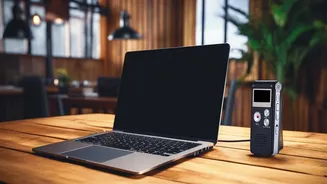
While cloud-based transcription services have been around for a while, they come with significant drawbacks for students. They require a stable internet connection, which is often unreliable in a crowded lecture hall. They also involve uploading your recordings to a third-party server, raising privacy concerns about who has access to your academic data. Offline AI tools solve both problems by processing audio directly on your device—be it a laptop or a smartphone. This means your recordings stay completely private and the tool works perfectly without any Wi-Fi or mobile data. Because the processing happens locally, it can be incredibly fast, turning a full-hour lecture into text in just a matter of minutes right after the class ends.
From Raw Text to Smart Summary
The true magic of these tools isn't just turning speech into text. The headline's promise of "organized study summaries" is where this technology truly shines. The best applications use a two-step process. First, an Automatic Speech Recognition (ASR) model, like the highly accurate open-source Whisper from OpenAI, transcribes the audio. Then, a second AI layer, a Large Language Model (LLM), analyzes the complete transcript. This second brain can identify the main topics, pull out key terms and definitions, generate a bullet-point summary, and even list potential action items or areas for further study. Instead of a dense wall of text, you get a structured document that is already optimized for revision. This transforms a passive recording into an active study asset.
Key Features for the Smart Student
When choosing an offline AI tool, not all are created equal. To get the most out of your investment, look for a few critical features. First and foremost is accuracy, especially with varied accents and technical jargon. Models trained on diverse datasets tend to perform best. Next, ensure it has robust summarization capabilities; a simple transcript is good, but an organized summary is what saves you time. Check for timestamping, which links the text back to the original audio, allowing you to quickly listen to a specific part of the lecture for clarification. Finally, consider its export options. The ability to save your notes as a PDF, DOCX, or TXT file makes it easy to integrate them into your existing study workflow.
Tools Leading the Charge
The market for these tools is expanding rapidly. Some are comprehensive note-taking suites designed specifically for students. CraftNote, for example, is often highlighted for its ability to work completely offline while recording lectures and even remembering who the speaker is across different classes. Other tools like SpeechPulse for Windows and macOS, or Viska for iPhone, explicitly combine offline transcription with on-device AI summarization. Many of these applications are powered by the same underlying open-source technology, but they package it in user-friendly interfaces. Even established apps like Microsoft OneNote are integrating AI features like Copilot, which can summarize your notes, whether they are typed or handwritten. The right choice depends on your preferred device and how deeply you want the AI integrated into your study process.