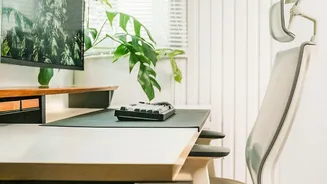




Align Your Screen to Eye Level
One of the most common ergonomic mistakes is looking down at a laptop or a low monitor, which forces your neck to bend forward. Over time, this can lead to significant strain. The goal is to keep your head and neck in a neutral, aligned position. Adjust
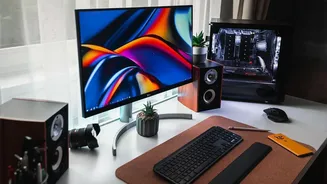
your monitor so that the top third of the screen is directly at your eye level. This ensures you look straight ahead, or just slightly down, to view the center of your screen. You can use a monitor stand, a stack of books, or a dedicated riser to achieve the correct height. The screen should also be about an arm's length away from you to prevent eye strain.
Set Your Chair for Support
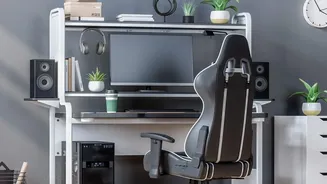
Your chair is the foundation of your posture. Start by adjusting the height so your feet rest flat on the floor, with your knees bent at roughly a 90-degree angle and level with or slightly below your hips. If your feet can't reach the floor, use a footrest. Sit back in the chair so your spine is fully supported, especially your lower back. If your chair lacks built-in lumbar support, a small cushion or a rolled-up towel can help maintain the natural curve of your lower back. Your armrests should be positioned to let your arms rest gently with relaxed shoulders.
Position Your Keyboard and Mouse
How you type has a huge impact on your wrists, arms, and shoulders. Position your keyboard so that when you type, your elbows are bent at about a 90-degree angle and are close to your body. Your wrists should remain as straight and neutral as possible, not bent up or down. Avoid resting your wrists on the sharp edge of a desk. If needed, a padded wrist rest can help, but it should support the palms of your hands, not your wrists directly, to avoid pressure on tendons. Keep your mouse close to your keyboard to minimize reaching.
Create Space and Reduce Clutter
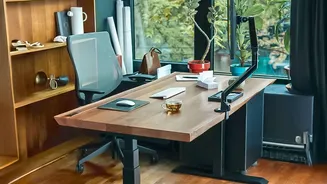
An ergonomic setup isn't just about posture; it's also about efficiency of movement. A cluttered desk can force you into awkward reaches and stretches for everyday items like your phone or a notepad. Keep essential items within easy arm's reach to avoid twisting and straining. By organizing your workspace, you not only create a more calming environment but also reduce the small, repetitive physical stresses that can add up over the day. A clean desk encourages better habits and helps maintain your carefully arranged ergonomic setup.
Give Your Eyes a Break
Digital eye strain is a real issue caused by staring at a screen for hours on end. To combat this, practice the '20-20-20' rule. Every 20 minutes, take a 20-second break to look at something at least 20 feet away. This simple exercise helps relax the focusing muscles inside your eyes and can reduce symptoms like dryness, headaches, and blurred vision. Also, be mindful of glare on your screen from windows or overhead lights. Position your monitor to minimize reflections, and if necessary, adjust the screen’s brightness and contrast to a comfortable level.