





The Golden Rule: Your PIN Is for Paying, Never Receiving
This is the single most important principle of UPI safety. You only need to enter your UPI PIN when you are sending money from your account. You never need to enter your PIN to receive money. Scammers create a sense of urgency or confusion to trick you into
authorising a payment when you think you are accepting one. If anyone—a buyer, a supposed customer service agent, or someone claiming to issue a refund—asks you to enter your PIN to complete a transaction in your favour, it is a scam. Legitimate payments, refunds, and cashback offers are credited to your account automatically without requiring your PIN.
Master the 'Request Money' vs. 'Pay' Distinction
Fraudsters often exploit UPI's "Collect Request" or "Request Money" feature. They will send you a payment request and disguise it as a credit, hoping you will approve it in a hurry. The interface will clearly state that you are being asked to pay. Always read the on-screen message carefully before entering your PIN. If you receive an unexpected payment request from an unknown person, decline it immediately and block the sender. While the National Payments Corporation of India (NPCI) has taken steps to curb misuse by discontinuing peer-to-peer collect requests, vigilance remains crucial.
Decode QR Code Scams: Scan to Pay, Not to Get Paid
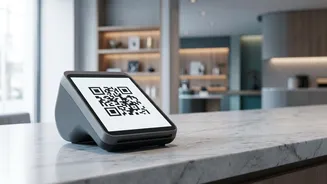
A QR code is a tool for initiating a payment, not for receiving one. Scammers commonly target sellers on online marketplaces by sending them a QR code and asking them to scan it to receive an advance payment. Scanning the code and entering your PIN will debit money from your account. Another physical variation of this scam involves fraudsters pasting their fake QR code sticker over a legitimate one at a shop or fuel station. Before making a payment, always verify that the recipient's name displayed in your UPI app matches the merchant you intend to pay.
Beware of Fake Customer Support and Phishing Links
If you face a failed transaction or another issue, do not search for customer care numbers online. Scammers often post fake helpline numbers to lure unsuspecting users. When you call, they will pose as a bank or payment app representative and ask for your PIN, OTP, or for you to install a screen-sharing app like AnyDesk or TeamViewer. This gives them complete access to your device and financial information. Always use the official customer support channels listed within the UPI app or on your bank's official website. Similarly, be wary of SMS or WhatsApp messages containing urgent links to update your KYC or unlock rewards, as these are often phishing attempts to steal your credentials.
Practice Good Digital Hygiene
A few consistent habits can significantly boost your security. Always use a strong screen lock on your phone and enable biometric or PIN protection for your UPI apps. Only download UPI apps from official sources like the Google Play Store or Apple App Store to avoid malicious software. Regularly review your transaction history in your banking and UPI apps to spot any unauthorised activity early. Avoid using public or unsecured Wi-Fi networks for financial transactions, as they are more vulnerable to hacking.
What to Do If You Suspect Fraud
If you think you have been scammed, time is critical. Immediately report the fraudulent transaction to your bank to have your account blocked. Next, call the national financial cybercrime helpline at 1930 and file a formal complaint on the National Cyber Crime Reporting Portal (cybercrime.gov.in). Preserve all evidence, including transaction IDs, screenshots of messages from the scammer, their phone number, and the fraudulent QR code if applicable. This information is vital for the investigation by law enforcement and your bank.