





Why an Error-Free Voter ID Is Crucial
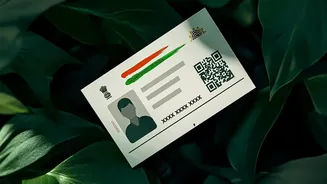
Your Electoral Photo Identity Card (EPIC), commonly known as the Voter ID card, is more than just a tool for casting your vote; it's a valid proof of identity across India. A mismatch between the name on your Voter ID and other official documents can
lead to challenges. At the polling booth, a vigilant official might question the discrepancy, leading to delays or, in rare cases, denial of your right to vote if your identity cannot be verified. This makes it essential to ensure that all details, especially your name, are spelled correctly. Acting now, well before the rush of local polls, saves you from last-minute stress and ensures a smooth voting experience.
Get Your Documents Ready
Before you begin the online correction process, it's wise to gather all the necessary documents. For a spelling correction of your name, you will need a clear, scanned copy of a supporting document that shows the correct spelling. This document must be self-attested. Acceptable proofs include your Aadhaar card, PAN card, passport, or a birth certificate. For other corrections, like a date of birth change, a birth certificate or a Class 10 marksheet is required. Having these files ready on your computer or phone, in either JPEG or PDF format and under 2MB in size, will make the online application process much quicker.
Navigating the Official Voters' Service Portal
The only official place to make these changes is the Election Commission of India's (ECI) Voters' Service Portal (VSP). You can access it by visiting voters.eci.gov.in. If you're a first-time user, you'll need to sign up using your mobile number and create a password. Once registered, you can log in to your dashboard. This portal is the central hub for all voter-related services, from new registrations to corrections and tracking application status. Avoid using any third-party websites that claim to offer these services, as only the official ECI portal is authorised and secure for handling your personal data.
The Step-by-Step Guide to Filling Form 8
Once you are logged into the VSP, the process of correction is managed through a single form: Form 8. Here's how to fill it: 1. Find Form 8: On the main dashboard, look for the section for 'Forms' and select 'Form 8 - Correction of Entries'. 2. Enter Your EPIC Number: The system will ask if you are filling the form for 'Self' or 'Other Elector'. Choose 'Self' and enter your 10-character EPIC (Voter ID) number. Your current details will be fetched from the database. 3. Select Correction: Form 8 can be used for several purposes like shifting residence or requesting a replacement card. It is crucial that you select the second option: 'Correction of entries in existing electoral roll'. 4. Choose the Field to Correct: You will see a list of details you can correct, such as Name, Gender, Date of Birth, and Photograph. Tick the checkbox next to 'Name' for a spelling correction. You can select up to four corrections in a single application. 5. Enter Correct Details: In the space provided, carefully type the correct spelling of your name as it appears on your supporting document. 6. Upload Your Proof: You will now be prompted to upload the scanned, self-attested copy of the document you prepared earlier (e.g., your Aadhaar or PAN card).
Submitting and Tracking Your Application
After you have filled in the correct details and uploaded your proof, you'll proceed to the declaration section. You simply need to enter the name of your city or town in the 'Place' field. Before final submission, the portal will show you a preview of your entire Form 8. Review every detail carefully to ensure there are no new typos. Once you are satisfied, click 'Submit'. A reference number will be generated and displayed on the screen. It is vital to save this number. You can use it on the same VSP portal under the 'Track Application Status' section to monitor the progress of your correction request. The verification is typically handled by your area's Booth Level Officer (BLO) and can take anywhere from 15 to 30 days.