






The Phishing Trap: More Than Just Emails
Phishing is a fraudulent attempt to obtain your sensitive information, such as passwords, OTPs, or bank details, by impersonating a trusted entity. While often associated with emails, phishing attacks now commonly happen via SMS, WhatsApp, and social
media messages. Scammers create a sense of urgency, for example, by sending a fake bank alert about suspicious activity or a message claiming your KYC update is pending and your account will be blocked. These messages contain links that lead to fake websites designed to look exactly like the real ones. If you enter your login details, they are stolen. Red flags include spelling mistakes, unusual sender email addresses, and a tone of extreme urgency or threats. Legitimate organisations rarely ask for passwords or financial details via email or text.
The QR Code Scam: Paying Instead of Receiving
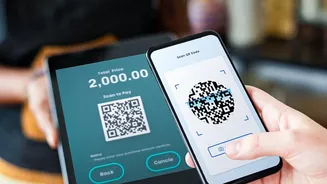
The golden rule of QR codes is simple: you only scan them to make a payment, never to receive money. Scammers exploit a lack of awareness around this fact. One common tactic involves fraudsters contacting you on online marketplaces, posing as buyers for an item you're selling. They agree to the price quickly and offer to pay immediately, sending you a QR code via WhatsApp to "receive" the payment. When you scan it, your UPI app opens a payment request. The scammer will pressure you to enter your PIN to complete the transaction, but doing so actually debits money from your account. Another variation involves scammers pasting their own QR code sticker over a genuine one at a shop or restaurant, redirecting customer payments to their own account. Always verify the recipient's name on your UPI app after scanning a code and before entering your PIN.
Decoding Malicious UPI Links and Requests
Similar to QR code scams, fraudsters misuse the 'Request Money' feature on UPI apps. You might receive a payment request from an unknown person with a note like "Enter your PIN to receive cashback" or "Approve this request for your refund." Approving the request and entering your PIN does the opposite—it sends money from your account to the scammer. Remember, no transaction to receive money ever requires you to enter your PIN. Scammers also send deceptive links via SMS or chat that mimic UPI apps or bank portals. These links might install fraudulent apps on your phone that can steal your login credentials or other sensitive data. Only download UPI apps from official sources like the Google Play Store or Apple's App Store, never from a link sent by an unknown person.
Your Digital Safety Checklist
Protecting yourself from these scams requires vigilance and a healthy dose of scepticism. First, never share your UPI PIN, OTPs, or bank passwords with anyone, including those claiming to be from your bank or a payment company. Enable multi-factor authentication (like biometrics) on all your financial apps for an extra layer of security. Regularly review your bank and transaction statements for any unauthorized activity and report it immediately. Be cautious when using public Wi-Fi for financial transactions, as these networks can be vulnerable. Before clicking any link, hover over it to see the actual destination URL and check for misspellings or unusual domains. If a deal or offer seems too good to be true, it almost certainly is. If you suspect you have been a victim of fraud, immediately contact your bank to block your account and report the incident on the National Cyber Crime Reporting Portal or by calling the helpline number 1930.