
The New Digital Canvas
For decades, creating detailed environment concepts for games, films, or architecture was a painstaking process requiring hours of skilled digital painting. Today, generative AI tools have shattered that timeline. Platforms like Midjourney, DALL-E 3,
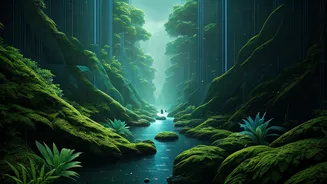
and Stable Diffusion act as powerful creative partners, capable of translating text descriptions into rich, detailed images in seconds. The word 'instantly' in the headline isn't about one-click perfection. Instead, it refers to the unprecedented speed of iteration. Where a single concept sketch might have taken an afternoon, you can now generate dozens of variations—exploring different lighting, moods, and architectural styles—in minutes. This doesn't replace the artist; it supercharges their ability to ideate and find the perfect direction.
Choosing Your AI Art Generator
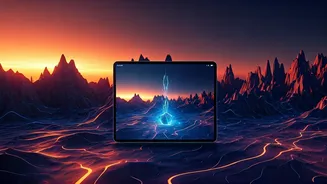
Not all AI tools are created equal, and the best one for you depends on your needs. For many artists, Midjourney is the go-to for its highly stylised, artistic, and often beautiful output, making it perfect for fantastical or atmospheric environments. DALL-E 3, integrated into ChatGPT Plus and Microsoft's Copilot, excels at understanding natural language and is fantastic for generating specific, coherent scenes with less effort. It's a great starting point for beginners. Stable Diffusion, often run locally on your own computer or via web services, offers the most control. With a steeper learning curve, it allows for fine-tuning models, inpainting (changing parts of an image), and outpainting (extending the canvas), giving professionals ultimate flexibility. Start with DALL-E 3 for ease of use or Midjourney for aesthetics, and explore Stable Diffusion as you grow.
The Art of the Prompt: Speaking to the AI
The quality of your output depends directly on the quality of your input, known as the 'prompt'. A weak prompt like 'fantasy castle' will give you a generic image. A strong prompt is a detailed recipe. Structure it by including key elements: 1. **Subject:** What is the main focus? E.g., 'A sprawling ancient library carved into a giant redwood tree'. 2. **Style:** What should it look like? E.g., 'in the style of Studio Ghibli', 'hyper-realistic digital painting', or 'concept art'. 3. **Lighting & Mood:** How does it feel? E.g., 'warm morning light streaming through high windows', 'eerie, bioluminescent glow', 'dramatic golden hour'. 4. **Composition:** How is the scene framed? E.g., 'wide-angle shot', 'from a low angle looking up', 'cinematic'. An example of a strong prompt would be: 'Concept art of a futuristic city in a desert canyon, towering chrome skyscrapers, flying vehicles, dramatic sunset casting long shadows, cinematic wide shot, hyper-detailed.' The more specific you are, the closer the AI will get to your vision.
From First Draft to Final Vision
The first image the AI generates is rarely the final product. Think of it as your first sketch or a base layer. The real power of these tools lies in refinement. Once you have an image you like, you can iterate. In Midjourney, you can use the 'Vary' buttons to create subtle or strong variations of a chosen image. You can also 'Pan' or 'Zoom Out' to expand the scene and discover what lies beyond the initial frame. In tools that support it, like DALL-E or Stable Diffusion, you can select a part of the image and use 'inpainting' to change just that area—for instance, adding a character to your landscape or changing a building's design. This iterative loop—generating, selecting, and refining—is the core workflow for using AI effectively in concept design.
Integrating AI into Your Creative Workflow
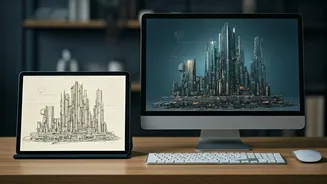
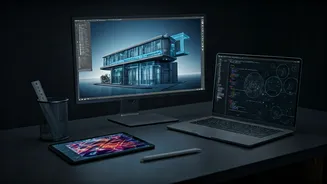
Ultimately, AI is a tool, not a magic button that replaces skill. Professional artists are not using these tools to generate final, polished pieces in one shot. Instead, they are integrating them into their existing workflows. An AI-generated concept might serve as a perfect mood board, a lighting reference, or a compositional base. Many artists will take a promising AI image into a program like Photoshop and begin a 'paint-over', using the generated image as a foundation to add details, correct errors, and infuse their own unique artistic style. It's a way to skip the 'blank canvas' problem and jump straight into the more creative aspects of finishing a piece. It augments creativity, it doesn't automate it.