





Hack 1: Elevate Your Screen to Eye Level
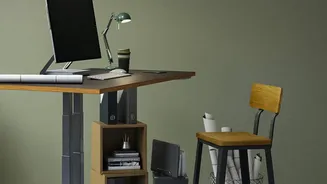
The most common ergonomic mistake is working on a laptop placed flat on a table. This forces you to hunch over, straining your neck and upper back. The rule of thumb is that the top of your monitor should be at or slightly below your eye level when you're
sitting up straight. You should be able to see the screen without tilting your head up or down. The fix is simple and free: grab a stack of sturdy books, a small box, or a ream of paper and place it under your laptop or monitor. This brings the screen up to the proper height. If you're using a laptop, it's best to also use a separate keyboard and mouse so your arms aren't awkwardly raised. This single adjustment can provide immediate relief by allowing your neck and spine to return to a more neutral, relaxed position.
Hack 2: Create Instant Lumbar Support
Most dining chairs or stools—common stand-ins for office chairs at home—lack proper back support. This forces your lower back to flatten, causing your muscles to work overtime and leading to fatigue and pain. Your spine has a natural inward curve in the lower back, and your chair should support it. You don’t need a fancy new chair to fix this. Simply roll up a bath towel or grab a small, firm cushion and place it behind your lower back. This DIY support fills the gap between your back and the chair, helping maintain your spine’s natural curve and taking a significant amount of pressure off your lower back muscles.
Hack 3: Adjust Your Chair and Desk Height
Proper alignment starts with your feet on the floor. Your chair height should allow your feet to rest flat, with your thighs roughly parallel to the ground. If your feet are dangling, it puts strain on your lumbar spine. Find a sturdy box, a stack of old books, or a small stool to use as a footrest. Next, address your arm position. Your elbows should be bent at roughly a 90-degree angle, with your wrists straight and in line with your forearms as you type. If your desk is too high, raise your chair and use the footrest. If it's too low, you can place sturdy blocks under the desk legs to raise the entire surface.
Hack 4: Tame Your Keyboard and Mouse
Reaching for your keyboard or mouse can cause shoulder and wrist strain. Both should be close enough that you can use them with your elbows comfortably by your sides. Position your keyboard directly in front of you, about 5 cm from the edge of the desk, so you have space to rest your wrists when not typing. Your mouse should be right next to the keyboard on the same level. If you find yourself stretching to reach it, you're putting your shoulder in an awkward position. Bringing these tools closer to your body allows your shoulders to relax and helps prevent repetitive strain injuries.
Hack 5: The Most 'Instant' Fix Is Movement
While ergonomic adjustments provide a strong foundation for a pain-free workday, our bodies are not designed to stay in one position for hours. Perhaps the most effective hack of all is to simply move. Set a timer to remind yourself to stand up, stretch, and walk around for a few minutes every hour. These short breaks improve circulation, reduce muscle tension, and give your spine a rest from the pressures of sitting. Simple stretches like backbends, shoulder rolls, or chin tucks can counteract the strain of being hunched over a screen and provide immediate relief. Remember, the best posture is a constantly changing one.