






Start at the Source: The Camera Itself
Your first line of defense is the device itself. Many security camera hacks happen because of weak or default credentials. When you set up a new camera, the most critical step is to immediately change the default username and password to something strong
and unique. A powerful password combines upper and lowercase letters, numbers, and symbols. Also, enable automatic firmware updates. Manufacturers release these updates to patch security vulnerabilities that could be exploited by attackers. Finally, think about physical placement. Avoid installing cameras in highly private areas like bedrooms or bathrooms. Even the best products can be compromised, so strategic placement minimizes potential exposure.
Lock Down Your Digital Front Door: Your Wi-Fi Network
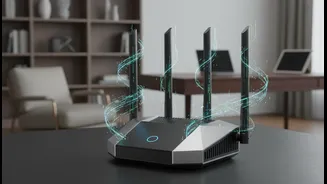
A smart camera is only as secure as the network it’s connected to. An unsecured Wi-Fi network is an open invitation for intruders. Start by securing your router with a strong, unique password and ensure its firewall is turned on. Your Wi-Fi network should be using modern encryption—WPA3 is the best option, with WPA2 being the minimum standard. If your router only offers older options like WEP or WPA, it's time for an upgrade. For an extra layer of security, create a separate “guest” network for all your smart devices, including your cameras. This isolates them from your main network, so if a camera is ever compromised, the breach won't expose your personal computers and smartphones.
Protect Your Data in the Cloud
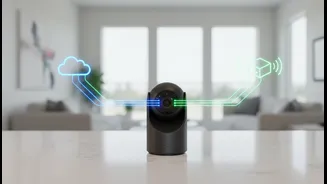
Most smart cameras use cloud services to store video clips, making them accessible from your phone. This convenience also creates another potential point of failure. Protect your cloud account by enabling two-factor authentication (2FA) whenever possible. This adds a crucial second layer of security, requiring a code from your phone in addition to your password to log in. Regularly review your account settings and permissions, disabling any features you don’t use. It’s also wise to research the camera manufacturer’s privacy policies before you buy. Understand what data they collect, how it's used, and what their policies are regarding sharing footage with third parties.
Advanced Steps for Maximum Privacy
Once you have the basics covered, a few more steps can further enhance your security. Disable features like Universal Plug and Play (UPnP) and remote management on your router, as these can create security loopholes. If your camera allows you to disable remote viewing, consider turning it off when you're home to reduce the chances of unauthorized access. Some brands offer better built-in security features, like end-to-end encryption (E2EE), which scrambles your video feed so that even the manufacturer can't view it. When choosing a camera, look for brands with a transparent and robust approach to cybersecurity, as they are more likely to provide timely security patches and support.