







Why Verifying Credentials Matters
The problem of fake or outdated credentials is more significant than many realise, affecting industries from healthcare and finance to IT and construction. Hiring individuals with fabricated licenses or certifications can lead to poor service, financial
loss, and even public safety risks. For consumers, this translates into a tangible threat. An unverified badge could mean entrusting your finances to a fraudulent advisor, hiring an unqualified tradesperson, or receiving medical advice from someone with a fake degree. The rise of online 'degree mills' and simple photo-editing software has made it easier than ever to create convincing but illegitimate credentials. This makes the ability to quickly verify a badge not just a matter of curiosity, but a crucial step in protecting yourself.
The Rise of Verifiable Digital Badges
To combat fraud, many organisations are moving from static PDF certificates to dynamic, verifiable digital badges. Unlike a simple image or a paper document that can be easily copied, a modern digital badge contains embedded metadata. This data includes the issuer's information, the criteria for earning the badge, the date it was issued, and, crucially, an expiration date. These badges are designed for easy online verification, creating a chain of trust that is difficult to fake. They are becoming the new standard for communicating skills and achievements in a way that is portable, secure, and instantly verifiable.
Method 1: Scan the QR Code
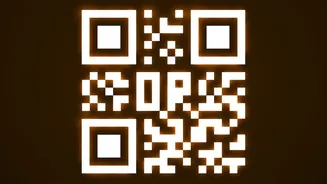
One of the simplest methods for verification is the QR code. Many modern physical and digital certificates now include a QR code that is unique to that credential. When you scan the code with your smartphone's camera, it should take you directly to a secure, public validation page hosted by the issuing organisation. This page will display the official details of the credential, including the recipient's name, the achievement, and its status (active, expired, or revoked). A QR code that leads to a generic website, a broken link, or a page that doesn't look professional is a major red flag. Always use the QR code rather than manually typing a URL to avoid being tricked by a similar-looking but fraudulent web address.
Method 2: Use the Verification URL
Legitimate digital badges are almost always linked to a unique verification URL. When you see a badge on a professional networking site like LinkedIn or an individual's website, it should be clickable. Clicking the badge should navigate you to its validation page, which confirms its authenticity in real-time. If the badge is just a static image that you can't click, it is not verifiable and should be treated with suspicion. The verification page provides a transparent look at the credential's details, directly from the source.
Method 3: Check Official Public Registries
For many licensed professions, such as doctors, lawyers, and certified public accountants, government bodies and professional associations maintain public, searchable databases. If you need to verify the credentials of a professional in a regulated field, the most reliable method is to search for their name in the official registry of the relevant licensing board. These directories will confirm whether the individual's license is active, expired, or has been subject to disciplinary action. Many organisations, like the Red Cross for CPR certifications, offer their own online lookup tools. A quick search for the profession and the term 'license verification' or 'member directory' will usually lead you to the right place.
Red Flags and What to Do If You're Suspicious
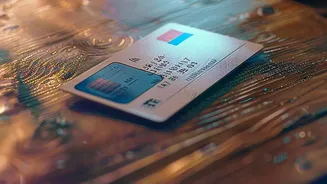
Beyond a lack of a verification link, there are other warning signs. On physical IDs or certificates, look for misspellings, poor print quality, or peeling laminate. For digital badges, be wary if the issuing organisation seems obscure or non-reputable upon a quick search. If you're unable to verify a credential through the methods above, the safest course of action is to contact the issuing organisation directly to confirm its validity. If you are in a situation where you feel pressured and are unable to verify an ID, it's best to err on the side of caution and not proceed with the transaction or service.