
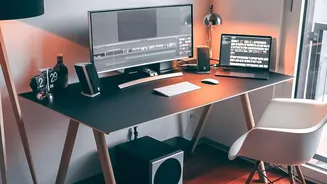
Why Your Monitor Position Matters
The relationship between your screen and your spine is direct. When a monitor is too low, you naturally drop your head and hunch your shoulders to see it. This forward head posture puts significant strain on your neck and upper back muscles. Over hours,
days, and months, this seemingly small misalignment can contribute to chronic pain, stiffness, and even headaches. Your computer screen acts as a visual target that dictates where your head goes; if the target is in the wrong place, your body will contort to meet it. The goal of proper ergonomics is to arrange your workspace to fit your body, not force your body to fit the workspace.
The Golden Rule: Eye Level Is Buy Level
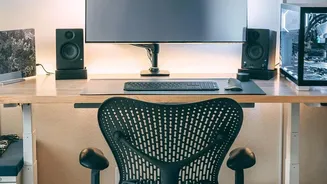
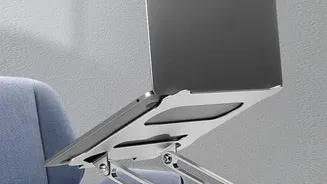
The most crucial rule for monitor ergonomics is height. The top edge of your screen should be at or slightly below your eye level as you sit upright. When positioned correctly, your eyes should look slightly downward to view the center of the screen. To find the right height, sit back in your chair in a comfortable, neutral position with your head centered over your shoulders. Close your eyes, then open them. Your gaze should land in the upper third of the monitor. If you're looking up, the screen is too high. If you're bending your neck down, it's too low. A stack of sturdy books can work just as well as an adjustable stand to achieve the right height.
Keep Your Distance
Height is only half the battle; distance is equally important. Your monitor should be positioned about an arm's length away from you. A good test is to sit back in your chair and extend your arm; your fingertips should be able to touch the screen. Placing a monitor too close can cause eye strain, while one that's too far away will encourage you to lean forward, defeating the purpose of setting the correct height. If you find yourself squinting to read text at an arm's length, resist the urge to pull the monitor closer. Instead, increase the font size or display scaling in your computer's settings.
Creating a Supportive Ecosystem
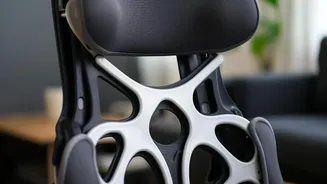
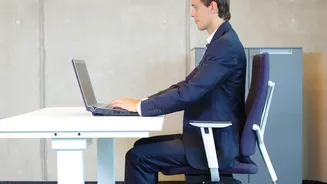
A perfectly positioned monitor can't fix a bad chair or keyboard setup. Ergonomics is a holistic practice. Start by adjusting your chair so your feet are flat on the floor and your knees are bent at roughly a 90-degree angle. Your lower back should be supported by the chair's lumbar support—a rolled-up towel can work in a pinch. Next, your keyboard and mouse should be at a height that allows your elbows to be bent at about 90 degrees with your wrists straight and your shoulders relaxed. All these elements work together. Your chair height determines your posture, which in turn sets the correct eye level for your monitor.
Listen to Your Body and Keep Moving
While these rules provide an excellent starting point, they are guidelines, not rigid laws. The ultimate goal is to find a position that feels neutral and comfortable for you. Pay attention to warning signs like numbness, tingling, or burning sensations, which indicate a need for adjustment. It's also critical to remember that even a perfect ergonomic setup doesn't replace the need for movement. Our bodies were not designed to stay in one static position for hours. Make it a habit to stand up, stretch, and walk around for a few minutes at least once an hour. These short breaks help relieve muscle tension, improve circulation, and reset your posture, ensuring that your desk job doesn't become a literal pain in the neck.