





Prioritise Your Posture and Comfort
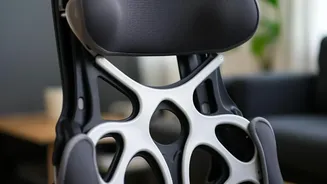
A dining chair is not an office chair, and a dining table is often higher than a standard desk. This mismatch can lead to neck, back, and shoulder pain. The first step is to address ergonomics. If investing in a proper ergonomic chair isn't feasible,
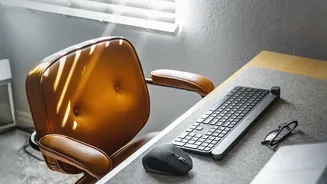
you can improve your dining chair by adding a lumbar support pillow or even a rolled-up towel to support your lower back. To prevent upper back strain from tensing your shoulders, you might need to sit on a cushion to raise your body height so your elbows are bent at a comfortable 90-degree angle. Most importantly, avoid 'tech neck' by raising your laptop screen to eye level. You can use a stack of books or a dedicated laptop stand to achieve this. Using a separate keyboard and mouse is also highly recommended, as this allows you to position your screen at the right height while keeping your arms in a relaxed, natural position.
Create a 'Pack-Away' Office
One of the biggest challenges of a dining table desk is the clutter. Laptops, notebooks, chargers, and papers can quickly take over the space, making it difficult to transition back to a dining area. The solution is a portable and organised system. A rolling cart is an excellent way to keep all your work supplies in one place. At the end of the day, you can simply roll the cart into a corner or closet, instantly clearing your table for dinner. If a cart is too bulky, consider using decorative boxes, baskets, or a dedicated caddy. These can be stored on a nearby shelf or in a cabinet. The goal is to create a setup that can be packed up and put away in minutes, helping you mentally 'clock out' and reclaim your living space.
Manage Cords and Improve Lighting
A tangle of cords for your laptop, monitor, and phone is not only unsightly but also a potential hazard. Effective cable management is key to making your temporary setup feel more permanent and professional. Use cable clips or ties to bundle cords together. You can even find solutions that mount a power strip to the underside of your table, hiding the mess completely. Beyond cables, lighting is crucial for reducing eye strain and boosting productivity. While natural light is best, your dining room's overhead fixture might not be enough. A dedicated task lamp, such as a stylish and adjustable desk lamp, can provide focused light exactly where you need it, making your workspace more comfortable for long sessions.
Set Clear Boundaries Between Work and Life
When your office is also where you eat and socialise, the lines between your professional and personal life can become blurred. Establishing routines is crucial for maintaining a healthy balance. Start and end your workday at a consistent time. The physical act of packing away your work items serves as a powerful signal that the workday is over. Try to create a mental separation. When you sit at the table to work, face a direction that minimises household distractions, like a clear wall or a window, rather than towards the kitchen or television. Taking regular breaks, standing up to stretch every 30-45 minutes, and walking around for a minute or two can also help break up the monotony and prevent physical and mental fatigue.