






Start With Your Foundation: Seat Height
The first and most critical adjustment starts from the ground up. Your seat height dictates the stability of your entire posture. The goal is to have your feet resting flat on the floor, not dangling or tucked underneath you. Adjust your chair's height until
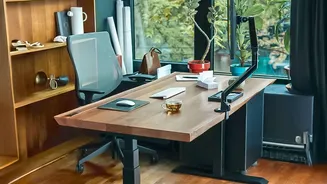
your knees are at a roughly 90-degree angle and your thighs are parallel to the floor. Your hips should be level with or slightly higher than your knees. If your desk is high and you've raised your chair to match, use a footrest to ensure your feet remain firmly supported. This simple step properly distributes your body weight and prevents strain on your lower back.
Dial in the Seat Depth
Sitting too far forward or too far back in your seat can cause problems. If the seat is too deep, it can press against the back of your knees, restricting blood flow. If it's too shallow, it won't provide adequate thigh support. The rule of thumb is to sit all the way back, so your lower back makes contact with the backrest. Then, adjust the seat depth so there is a gap of about two to three fingers between the edge of the seat and the back of your knees. This ensures your thighs are supported while allowing for healthy circulation.
Position Your Lumbar Support
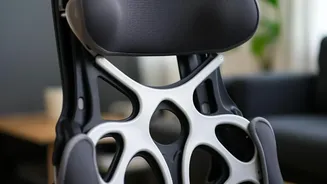
Your lower back has a natural inward curve, and your chair's lumbar support is designed to maintain it. Without this support, you are more likely to slouch, which flattens the curve and puts pressure on your spinal discs. Adjust the lumbar support up or down until it fits snugly into the small of your back, roughly at your belt line. You should feel a gentle, firm pressure, not an aggressive push. If your chair lacks an adjustable feature, a small cushion or a rolled-up towel can serve the same purpose.
Set the Armrest Height
Armrests aren't just for resting your arms; they play a crucial role in reducing tension in your shoulders and neck. Your armrests are at the correct height when your shoulders are relaxed and down, not hunched up towards your ears. With your elbows close to your body, adjust the armrests until your forearms can rest comfortably, forming a 90 to 100-degree angle at the elbow. Your wrists should be able to remain straight when you are typing or using your mouse.
Fine-Tune the Backrest Recline
Sitting perfectly upright at 90 degrees all day is not ideal. A slight recline can significantly reduce the load on your spine. Most ergonomic experts recommend a backrest angle between 100 and 110 degrees for general work. This open angle helps to distribute your upper body weight more effectively. Additionally, check your chair's tilt tension. This should be adjusted so you can recline with gentle pressure but feel supported, without the chair flopping back too easily or pushing you forward too forcefully.