



The Magic in Your Pocket
At its core, a sky mapping app is a sophisticated guide that leverages the technology already built into your smartphone. Using your device's GPS, it knows your exact location on Earth. The internal compass and gyroscope track the precise direction you're
pointing the phone. The app then cross-references this data with a detailed star map. When you hold your phone up to the sky, it displays an annotated view of what you're looking at in real-time. Many apps use augmented reality (AR) to overlay this information directly onto your camera's view, creating a seamless window into the heavens. This means that even if a star or planet is faint, the app can show you exactly where it is, complete with labels and constellation lines drawn for you.
Cutting Through the Urban Glow
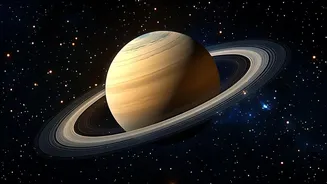
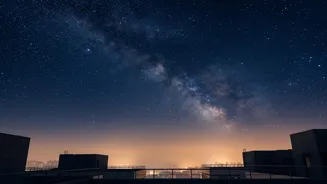
The biggest challenge for urban stargazers isn't just smog, but the pervasive glow of artificial light pollution, which can obscure all but the brightest celestial objects. A 2016 study estimated that the Milky Way is hidden from more than a third of the world's population, a figure that has likely grown. While an app can't physically part the haze, it provides a crucial advantage: knowledge. By showing you the entire sky map, it helps you focus on targets that are bright enough to pierce the gloom. The Moon and bright planets like Venus, Mars, Jupiter, and Saturn are excellent starting points for city observation because their brightness gives them high contrast against a light-polluted sky. The app acts as your spotter, telling you, "Even though you can't see the whole constellation, look in this exact direction for brilliant Jupiter."
Key Features for City Stargazers
When choosing an app, a few features are particularly useful for urban environments. A "red light" or night mode is essential; it tints the screen red to preserve your night vision, as it takes your eyes up to 30 minutes to fully adapt to the dark. Look for apps with a robust search function and directional arrows that guide you to specific planets or stars. Some advanced apps even include a light pollution map feature, which can help you find nearby parks or elevated spots with slightly darker skies. An events calendar that sends notifications for meteor showers or International Space Station (ISS) flyovers can also turn a casual glance upward into a planned, exciting event.
Popular Apps to Get You Started
The world of stargazing apps is vast, but a few consistently earn praise for their user-friendly design and powerful features. Apps like Star Walk 2 and SkyView are often recommended for beginners due to their intuitive interfaces and impressive AR overlays. Stellarium is celebrated for its realistic sky depiction and is available on both mobile and desktop for planning sessions. Others, like Star Chart and Google Sky Map, offer free and highly capable versions that can identify thousands of celestial objects. Many of these apps not only identify objects but also provide rich context, including mythology, history, and scientific data, turning a simple observation into a learning experience.
Tips for a Better Viewing Experience
To make the most of your app, you need the right strategy. First, try to escape the most intense direct light. A local park, a rooftop, or even a spot shielded by a building can make a significant difference. Turn off any lights on your balcony or in your flat to reduce immediate glare. Give your eyes time to adjust to the darkness; the longer you wait, the more you will see. Finally, manage your expectations. You won't see faint nebulae from the city centre. Instead, use your app to hunt for the big game: the Moon, visible planets, bright star clusters, and the occasional pass of a satellite. These bright targets are surprisingly resilient to city lights and offer a rewarding glimpse of the universe above.