



From Blank Canvas to Custom Visuals in Seconds
For students juggling deadlines, creating a visually appealing presentation can feel like a low-priority chore. Hours spent scrolling through stock photo websites for a 'good enough' image can be frustrating and often fruitless. AI image generators offer
a revolutionary alternative. These tools use artificial intelligence to create unique images from simple text descriptions, called prompts. Instead of searching for an existing image that vaguely fits your topic, you can generate a specific, custom visual that perfectly illustrates your point, whether it's a diagram of a complex biological process or a conceptual illustration for a philosophy class. This shifts the time spent from endless searching to creative generation, allowing students to produce high-quality, relevant visuals with minimal effort and no advanced design skills.
How to Get Started with AI Images
Diving into AI image generation is surprisingly straightforward. Popular tools like Midjourney, Adobe Firefly, and others integrated into platforms like Microsoft Designer offer accessible interfaces. The core of the process is learning to write effective prompts. A vague prompt like 'teamwork' will yield generic results. A strong prompt is descriptive and provides context. For example, instead of 'teamwork', a student could write, 'A diverse group of university students collaborating around a table in a bright, modern library, realistic photo style'. This level of detail guides the AI to produce a much more specific and useful image. The key is to think like an artist giving instructions: specify the subject, the setting, the style (e.g., 'cartoon style', 'synth-wave'), and even the mood.
Crafting the Perfect Prompt
Mastering prompt writing is a skill that improves with practice. Start by clearly defining the core concept you want to visualize. Don't be afraid to iterate; your first generated image is a starting point, not always the final product. Use the AI 'conversationally' by asking for changes. You can refine prompts by adding details about composition, color palettes, and lighting. It's also helpful to use 'negative prompts' to tell the AI what to exclude, such as 'no text' or 'no people'. Thinking critically about the visual elements that best support your spoken points will lead to more impactful and coherent presentations. Sometimes, just seeing an initial AI-generated image can spark new ideas for how to best represent an abstract concept.
Beyond Speed: The Other Benefits
The primary advantage is speed, but the benefits don't stop there. AI image generators empower students to move beyond generic stock photos and create visuals that are truly unique to their project. This allows for a higher degree of personalization and creativity, helping a presentation stand out. For abstract or highly technical subjects, where finding appropriate visuals is nearly impossible, these tools are game-changers. They can create visual metaphors and conceptual art that bring complex ideas to life, making information more accessible and memorable for the audience. This enhances not just the aesthetic quality of the presentation, but its overall effectiveness as a communication tool.
Navigating the Ethical and Practical Pitfalls
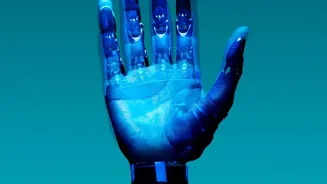
While powerful, these tools require responsible use. Students must be aware of the ethical considerations, including academic integrity and copyright. Many universities are developing guidelines, so it's crucial to understand your institution's policy on using AI-generated content. Always be transparent about your use of AI tools. On a practical level, AI generators can sometimes produce bizarre results, like people with too many fingers or scientifically inaccurate diagrams. It's essential to treat AI outputs as a first draft that needs to be critically reviewed for accuracy and appropriateness. Furthermore, be mindful that AI models can reflect and amplify existing biases from their training data, potentially generating stereotypical images.