






That familiar stiffness in your hips when you stand up after a long meeting, the ache in your neck after hours at the computer—these are more than just minor annoyances. They are signs that a sedentary work routine is taking a toll on your joints.
Why Sitting Still Causes Stiffness
Our
joints are designed for movement. This motion is crucial because it stimulates the circulation of synovial fluid, a natural lubricant that reduces friction and nourishes the cartilage between our bones. When we sit for prolonged periods, this vital process slows down. The lack of movement can cause the fluid to become less effective, leading to that feeling of stiffness and discomfort. Over time, this inactivity can also cause muscles that support our joints—like our hip flexors, glutes, and core—to weaken and tighten. This forces the joints themselves to bear more stress, which can accelerate wear and tear and contribute to chronic pain and conditions like osteoarthritis.
Hips and Back: The Primary Pressure Points
The most common complaints from desk workers often centre on the hips and lower back. Sitting for hours keeps the hips in a flexed position, which can lead to shortened and tight hip flexor muscles. When you finally stand up, these tight muscles pull on the pelvis, which can contribute to lower back pain and poor posture. Furthermore, slouching in a chair puts increased pressure on the spinal discs and weakens the core muscles that are essential for supporting the spine. This combination of tight hips and a weak core creates a recipe for chronic discomfort and reduced mobility in the lower body.
Don't Forget Your Neck, Shoulders, and Wrists
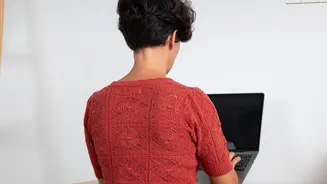
While the lower body takes a significant hit, the upper body isn't immune. Hunching forward to look at a monitor strains the muscles in the neck and upper back, often leading to tension and even headaches. This forward posture can cause shoulders to round and the muscles between the shoulder blades to become weak and overstretched. At the same time, the repetitive motions of typing and using a mouse, especially with improper wrist alignment, can lead to strain in the wrists, hands, and elbows, potentially causing conditions like carpal tunnel syndrome.
Simple Stretches to Do at Your Desk
The best way to combat sedentary stiffness is to introduce regular movement. You don't need a full workout; simple stretches done right at your desk can make a huge difference. Aim to take a movement break every 30 to 60 minutes. • Seated Figure-4 Stretch: Cross one ankle over the opposite knee. Sit tall and gently lean forward until you feel a stretch in your hip and glute. Hold for 20-30 seconds and switch sides. • Thoracic Spine Rotation: Sit tall with your feet flat on the floor. Gently twist your torso to one side, using your chair for a light assist. Hold for a few seconds and repeat on the other side. This helps mobilize the upper and mid-back. • Shoulder Blade Squeezes: Sit or stand tall. Squeeze your shoulder blades together as if you're trying to hold a pencil between them. Hold for 5 seconds and release. Repeat 10 times to activate weak back muscles. • Chin Tucks: Gently draw your chin straight back, creating a 'double chin'. This counteracts the forward head posture from looking at a screen. Hold for 5 seconds and repeat several times.
Small Ergonomic Adjustments, Big Impact
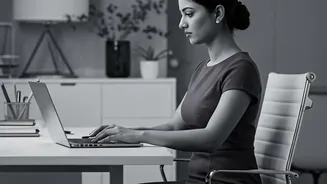
How your workspace is set up can either contribute to or alleviate joint strain. Start by ensuring your chair supports the natural curve of your lower back; use a small pillow if needed. Adjust your chair height so your feet are flat on the floor and your knees are at or slightly below hip level. Your monitor should be at arm's length, with the top of the screen at or just below eye level to keep your neck in a neutral position. Finally, position your keyboard and mouse so your elbows can stay close to your body and your wrists remain straight, not bent up or down.