





Silence the Buzz with Focus Modes
The constant threat of a late-night email or social media notification can keep your brain on high alert, even when you’re trying to wind down. The pings, buzzes, and lights from incoming alerts can disrupt the process of falling asleep or wake you entirely.
To combat this, use your phone’s built-in ‘Do Not Disturb’ or ‘Focus’ modes. On both iPhone and Android, you can schedule a ‘Sleep’ focus to automatically silence all non-essential notifications during your designated sleeping hours. You can customize these modes to allow calls from specific emergency contacts, ensuring you have peace of mind without the constant interruptions from less important apps. Setting this up creates a crucial boundary, signaling to both your brain and your device that the day is over.
Banish Blue Light with Night Mode
One of the most well-known sleep disruptors is the blue light emitted by our screens. This specific wavelength of light mimics daylight and can suppress your body's production of melatonin, the hormone that regulates your sleep-wake cycle. When your brain is exposed to blue light in the evening, it gets tricked into thinking it's still daytime, making it harder to fall and stay asleep. Nearly every modern smartphone has a feature to combat this, often called 'Night Shift' (on iPhones), 'Eye Comfort Shield' (on Samsung), or 'Night Light' (on other Androids). These settings shift your screen’s colour temperature from a cool, blueish tone to a warmer, yellowish one, which is less jarring in the dark and less disruptive to melatonin production. You can schedule this mode to turn on automatically every evening at sunset.
Make Your Screen Boring with Grayscale
While warming the screen colour helps, the vibrant, engaging colours of apps can still be too tempting for a late-night scroll. App designers intentionally use bright colours to trigger dopamine and keep you engaged. The solution is to make your phone visually uninteresting by activating grayscale mode. This accessibility feature removes all colour from your display, turning your phone into a far less appealing source of entertainment. Studies have shown that using grayscale can decrease feelings of phone overuse and even reduce overall screen time. By making your apps look dull and lifeless, you remove the psychological reward that keeps you scrolling. You can typically find this setting in your phone's 'Accessibility' or 'Digital Wellbeing' menus and, on many devices, schedule it to activate as part of your bedtime routine.
Establish a Digital Sunset Routine
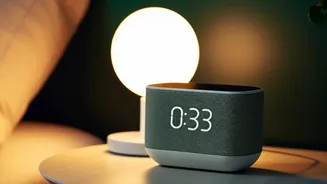
Many phones now offer comprehensive 'Bedtime' or 'Wind Down' modes that bundle several of these features together. For example, on Android's Digital Wellbeing or iPhone's Sleep Focus, you can set a 'Wind Down' period that begins 30 to 60 minutes before your scheduled bedtime. During this time, your phone can automatically enable Do Not Disturb, switch to grayscale, and simplify your lock screen. This creates an automated ritual that eases you toward sleep. Using a bedtime reminder alarm can also be an effective cue to start your wind-down process and put your phone away for the night. The goal is to replace mindless scrolling with a more intentional, calming routine that signals to your body that it's time to rest.