








The Urban Astronomer’s Advantage
The biggest hurdle for any city-based stargazer is light pollution. The combined glow from streetlights, buildings, and cars washes out the faint light from distant stars and galaxies, making them invisible. This is why a trip to the countryside reveals
a sky teeming with thousands of stars, while a city balcony might only show a few dozen. However, planets are a different story. Unlike stars, they don't produce their own light; they reflect the bright light of our Sun. Because they are relatively close to us, planets like Venus, Jupiter, Mars, and Saturn can shine more intensely than the brightest stars. This means they are often bright enough to punch through the urban skyglow, appearing as steady, unwavering points of light. The challenge isn't that they are invisible, but that they are hard to distinguish from the brightest stars or even high-flying airplanes without a guide.
Your Phone is a Planet Finder
This is where mobile stargazing apps become an essential tool. Using your phone’s built-in GPS, compass, and gyroscope, these apps create a real-time map of the sky exactly as it appears from your location. The most transformative feature for beginners is Augmented Reality (AR). When you enable AR mode and point your phone’s camera towards the sky, the app overlays a map of stars, constellations, and planets directly onto your live view. That bright “star” you’ve been wondering about? Just point your phone at it. The app will instantly identify it, perhaps revealing it to be Jupiter or Saturn. This technology removes the guesswork and provides the confidence needed to start identifying celestial objects on your own.
Choosing Your Digital Guide
The number of astronomy apps can be overwhelming, but a few consistently stand out for their beginner-friendly design and powerful features. Apps like SkyView Lite, Star Walk 2, and Stellarium Mobile are excellent starting points. Many offer free versions that are more than capable for identifying planets. SkyView is praised for its simple, intuitive AR interface that lets you just point and identify. Star Walk 2 offers stunning visuals and a “What’s New” section that keeps you informed about upcoming celestial events visible from your location. Stellarium Mobile is known for its highly realistic and detailed sky map. Most of these apps also include a “time travel” feature, allowing you to see where planets will be hours, days, or even years from now, helping you plan your viewing sessions.
Your First Sighting: A Step-by-Step Guide
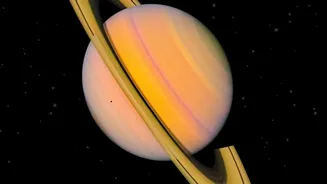
Ready to spot a planet tonight? First, find a spot with the clearest possible view of the sky, like a park, a rooftop, or even a window facing away from the brightest streetlights. Open your chosen app and give it a moment to calibrate to your location. Scan the sky for the brightest, most prominent points of light. Now, point your phone at one of them. The app's AR overlay will draw the constellation lines and, most importantly, label the object. If it's a planet, the app will display its name, often with additional information you can tap to read. For example, in September 2026, Saturn is a great target for evening viewing, while Jupiter and Mars are easily visible in the morning before sunrise. An app can confirm which one you are looking at in seconds.
Tips for Better City Viewing
While an app is your primary tool, a few extra steps can significantly improve your experience. First, give your eyes time to adjust to the dark. It takes about 15-20 minutes for your night vision to kick in, so avoid looking at your bright phone screen more than necessary. Many apps have a red-light mode that preserves your night vision. Second, seek elevation. Getting to a higher floor of a building can lift you above some of the most direct sources of ground-level light pollution. Finally, consider a simple pair of binoculars. While not necessary for spotting bright planets, they can enhance the view, sometimes even revealing Jupiter’s largest moons or the reddish hue of Mars.