


The Ground Rule: Feet, Knees, and Hips
Proper back protection starts from the ground up. The first step is to adjust your chair height so your feet rest flat on the floor. Your thighs should be roughly parallel to the floor, with your knees bent at about a 90-degree angle. This position creates
a stable base for your pelvis. If your feet dangle, it puts strain on your lower back. If they are tucked under you, it can tilt your pelvis forward. Use a footrest if your desk is too high to allow your feet to sit flat. You should also be able to sit all the way back, so your hips touch the back of the chair. This ensures your back is making full contact with the chair's support system.
The Recline That Reduces Pressure
Many people believe sitting perfectly upright at a 90-degree angle is ideal, but this can still place significant pressure on your spinal discs. Ergonomic experts recommend a slightly reclined posture of about 100 to 110 degrees. This subtle recline helps to distribute your upper body weight more effectively across the chair's backrest, reducing the load on your lumbar spine. The key is to find a chair with good lumbar support that fills the natural inward curve of your lower back. This support prevents you from slumping, which flattens the spine's natural curve and is a primary cause of strain and long-term issues like disc compression.
Why Monitor Height is a Back Issue
It might seem disconnected, but your monitor's position has a direct impact on your lower back. When your screen is too low, you naturally crane your neck down and hunch your shoulders forward to see it. If it's too high, you tilt your head back. Both of these awkward postures create a chain reaction. The strain that starts in your neck and shoulder muscles radiates down your entire back. Over the course of a day, these muscles become fatigued, pulling your spine out of its healthy alignment and placing extra stress on your lower back.
Finding the Sweet Spot for Your Screen
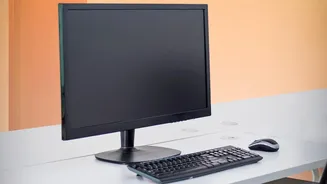
To find the correct height, sit back in your chair in your ideal reclined posture. The top edge of your monitor should be at or slightly below your eye level. This allows you to look slightly downward, which is the natural resting position of the eyes. As for distance, the monitor should be about an arm's length away. This prevents you from leaning forward to read small text, a habit that immediately negates the benefits of your supportive chair and puts your spine into a stressful C-shape. Taking a moment to set these two factors correctly is one of the most effective ways to prevent the neck, shoulder, and back pain that builds up during the workday.
Don't Forget Your Arms
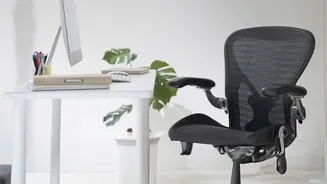
Finally, pay attention to your armrests. They are not just for resting. Properly adjusted armrests support the weight of your arms, which reduces the workload on your neck and shoulder muscles. Adjust them so your elbows are bent at a comfortable angle, generally around 90 degrees, with your shoulders relaxed and not hunched. When your shoulders are tense, that strain can easily travel down to your back. A fully ergonomic setup considers every point of contact, ensuring your entire body is in a neutral, supported position, taking pressure off the muscles and joints that are prone to strain.