
The Placement Puzzle
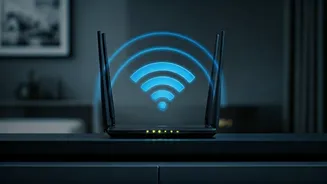
The placement of your Wi-Fi router significantly impacts your internet speed, often more so than the router's cost. Many people, however, unknowingly place their
routers in spots that hinder performance, such as tucked away in a closet or behind metal objects. These obstructions can weaken the Wi-Fi signal, leading to slower speeds and frustrating connection drops. Consider your home's layout when choosing the best location for your router. Walls, appliances, and other electronics all play a role in how far your signal reaches and its overall strength. The goal is to position your router for optimal coverage throughout your living space, minimizing interference, and ensuring a strong, consistent signal to all your devices. This proactive approach can make a world of difference in your internet experience, making it faster and more dependable.
Central is Key
Placing your router centrally within your home is usually the most effective strategy. This distributes the Wi-Fi signal evenly, ensuring that all rooms and devices receive a strong connection. Imagine your router emitting radio waves like a lighthouse beaming light across the ocean; a central location allows those waves to reach the farthest corners without getting blocked. Avoid placing the router in a corner or near a window, as this can cause the signal to travel outward instead of throughout the house. Think about the areas where you use your devices the most. Position your router as close as possible to these "Wi-Fi hotspots" to get the best possible signal strength. This approach is especially important for larger homes, where a centrally located router is almost a necessity for complete coverage. Consider raising your router off the floor to reduce interference from appliances and other electronics.
Elevation Matters Too
The height at which you place your router is also critical. Elevating your router, ideally positioning it at least a few feet above the floor, can drastically improve signal quality. This is because the signal will propagate more freely, avoiding interference from furniture, obstructions on the floor, and other electronic devices often found at ground level. Think of the router like a broadcasting tower, the higher the point, the greater the range and accessibility. Placing your router on a shelf, a desk, or mounting it on a wall are excellent options. Make sure the router is visible, and the antennas are unobstructed. However, be cautious of placing the router directly above or near large metallic surfaces or appliances. These can reflect or absorb the signal, diminishing its effectiveness. Experimenting with different heights and locations can help you find the sweet spot for maximizing performance.
Obstacles to Avoid
Certain materials and objects can significantly degrade your Wi-Fi signal. Thick walls, particularly those made of concrete or brick, are major signal blockers. Metal objects, like appliances, filing cabinets, and even mirrors, also disrupt the signal by absorbing or reflecting it. Electronics such as microwaves, cordless phones, and Bluetooth devices often operate on the same 2.4 GHz frequency as many Wi-Fi routers. This creates interference, resulting in slower speeds and connection drops. Avoid placing your router near these devices. Consider the layout of your home and the materials used in construction. It's smart to do a signal strength test throughout your home with various placements to see the impacts that it has on the Wi-Fi.
Testing and Optimization
After choosing a spot, test your internet speed and coverage. Several free online speed tests can measure your download and upload speeds, helping you determine if the router placement is effective. Walk around your home, checking the signal strength on your devices in different locations. If you find weak spots, try repositioning the router or using a Wi-Fi extender. Wi-Fi extenders can be very useful to create a bridge, increasing the coverage range for the home. Also, make sure your router's firmware is up-to-date. Manufacturers regularly release updates that improve performance and security. By following these steps and paying close attention to your home's unique layout, you can significantly enhance your Wi-Fi experience.