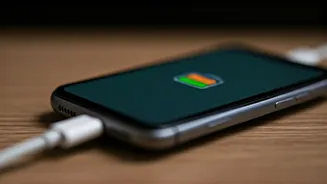

Battery Health Basics
Understanding your smartphone's battery is the first step toward preserving its health. Modern smartphones typically use lithium-ion batteries, known for
their high energy density and relatively long lifespans. However, these batteries degrade over time due to various factors, including charging habits, temperature, and the charger you use. The battery's capacity gradually decreases with each charge cycle. Moreover, excessive heat can accelerate this degradation process, reducing the overall lifespan of your battery. It's crucial to understand these aspects to maintain battery health. Recognizing how these elements influence battery performance provides the groundwork for implementing effective charging habits.
Charger Types Explained
Chargers come in different types, each with its own specifications and impact on your device. The standard chargers are designed for basic charging needs. Rapid chargers, on the other hand, deliver higher power outputs, enabling faster charging times. However, rapid charging can generate more heat, which can, over time, affect the battery's lifespan. USB-C chargers have become increasingly popular due to their versatility and faster charging capabilities. While these chargers can handle higher power levels, it's essential to ensure compatibility with your device. Always check the voltage and amperage requirements of your phone before using a different charger.
Voltage and Amperage
Understanding voltage and amperage is key to selecting the right charger. Voltage (measured in volts, V) represents the electrical potential difference, and amperage (measured in amps, A) represents the electrical current. Your smartphone's charger must match the voltage requirements of your device. A higher amperage charger will typically charge your phone faster, provided your device supports it. However, using a charger with a higher voltage than your phone's capacity can damage it. Conversely, using a charger with a lower amperage may result in slower charging or even insufficient power. Always check the specifications on your phone and charger to ensure compatibility and safe charging.
Charging Speed Matters
The speed at which your phone charges can significantly influence battery health. While rapid charging is convenient, it can generate excess heat, potentially degrading the battery faster over time. Regular charging at moderate speeds is often preferable for long-term battery health. Many smartphones now incorporate charging optimization features. These features automatically adjust the charging speed to reduce stress on the battery and minimize heat generation. Consider enabling these settings on your phone to optimize charging efficiency and extend battery lifespan. Prioritize charging speed based on your daily usage patterns and battery health needs.
Impact of Overcharging
Contrary to old beliefs, modern smartphones are designed to prevent overcharging. Once the battery reaches 100%, the charging circuit typically cuts off the power supply, preventing further charging. However, leaving your phone plugged in for extended periods can still generate heat, which is detrimental to battery health. Avoid consistently leaving your phone connected to the charger overnight. This practice can accelerate battery degradation over time. Instead, consider adopting a charging routine that involves charging your phone when needed and unplugging it once it reaches full capacity. This approach helps maintain a healthy battery in the long term.
Best Charging Practices
To maximize your smartphone's battery health, certain charging practices are essential. Avoid extreme temperatures. Heat is a major enemy of lithium-ion batteries. Always charge your phone in a cool, well-ventilated area. Avoid charging your phone in direct sunlight or other hot environments. Regularly calibrate your battery. Allow the battery to discharge fully (down to 0%) and then recharge it to 100% occasionally. Use the charger that came with your phone or a charger specifically designed for your device. These chargers are usually optimized for your phone's battery and charging requirements. Moreover, consider using power-saving modes when available to extend battery life. This helps reduce unnecessary power consumption.
Charger Quality Considerations
The quality of your charger directly affects your battery's health and safety. Choose chargers from reputable brands that adhere to safety standards and regulations. These chargers typically include built-in protections against overcharging, overheating, and short circuits. Cheap or generic chargers may not have these safety features, potentially damaging your phone or posing safety risks. Examine the charger for certifications like CE or UL, which indicate compliance with safety standards. Always inspect your charger for any signs of damage, such as frayed wires or loose connections, and replace it immediately if necessary. Investing in a good-quality charger ensures both safety and battery longevity.
Troubleshooting Charging Issues
Experiencing charging issues? Several factors could be at play. If your phone isn't charging, check the charging port for any debris or damage. A clogged port can prevent a good connection. Try using a different cable and charger to rule out any equipment issues. Sometimes, the problem lies with the cable. Try restarting your phone, as software glitches can occasionally interfere with charging. Ensure your phone's software is up to date, as updates often include bug fixes that improve charging performance. If the problem persists, the battery itself may have issues. If none of these steps work, consider consulting a professional for further diagnosis and repair.