
Battery Health Basics
Smartphones have batteries that degrade over time, a process influenced by charging habits and external factors. The internal lithium-ion batteries found
in most smartphones have a limited lifespan; they start to lose capacity and performance as they age. This degradation is often accelerated by heat, overcharging, and the type of charger used. A battery's health is often expressed in terms of charge cycles; each cycle involves using the full capacity of the battery and then recharging it. Excessive heat, common during charging, further speeds up degradation by causing internal damage to the battery's components. Understanding these basic principles is the first step toward extending your phone's battery life. The goal is to use your phone, keeping your battery health in mind.
Charger Selection Matters
The charger you use significantly impacts battery health. Not all chargers are created equal. When purchasing a charger, ensure it is compatible with your phone's specifications. Using the manufacturer-provided charger is often the safest bet, as it is designed to work optimally with the device. If you need a replacement, consider a charger with the same or similar voltage and amperage ratings. A charger's voltage and amperage dictate the speed at which your phone charges. A charger with a higher amperage than your phone requires may not necessarily damage it, but can lead to faster charging. However, using a charger that provides an output voltage higher than your phone's specifications can cause damage. The optimal charging speed is a balance between convenience and battery health. Choose chargers that offer safe and efficient power delivery.
Charging Habits Explained
How you charge your phone matters as much as the charger itself. One of the most common myths is the need to charge your phone to 100% every time and let it fully drain. Modern lithium-ion batteries don't benefit from this. In fact, consistently charging to 100% can cause faster degradation over time. Experts recommend keeping your battery between 20% and 80% charge. Avoid letting your phone die completely before charging, as this can strain the battery. Avoid leaving your phone plugged in for extended periods after it reaches 100%. Overcharging, even with modern safety features, can generate excess heat, which is detrimental to battery health. Regular, brief charges throughout the day are often better for battery longevity. Implement these daily routines for your smartphone battery.
Avoiding Heat Damage
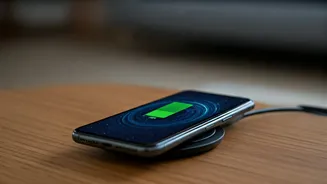
Heat is the enemy of your smartphone battery. Charging generates heat, and excessive heat accelerates battery degradation. Avoid charging your phone in hot environments. Direct sunlight, enclosed spaces like a car on a hot day, and even under blankets can significantly raise the temperature of your device. When charging, remove any protective cases that trap heat. Wireless charging also tends to generate more heat than wired charging. If you regularly use wireless charging, it's particularly important to monitor the phone's temperature and ensure adequate ventilation. If you notice your phone getting unusually warm during charging, unplug it and let it cool down before continuing. Being mindful of these practices can help you mitigate the harmful effects of heat and extend your battery life.
Optimizing Usage Patterns
Beyond charging, your daily usage habits affect battery health. Certain apps and features consume more power than others. High screen brightness and constantly running location services drain the battery quickly. Minimize background app activity by closing apps you are not actively using. Reduce screen brightness or use auto-brightness. Turning off location services when not needed can save considerable power. Another power-draining aspect of your phone are the background processes. Try reducing the frequency of email sync, and disable automatic app updates to save power. Additionally, using battery-saving modes when available can help to extend your phone's usage between charges and, over time, preserve the overall health of the battery. Small changes can add up, increasing the longevity of your smartphone's battery.