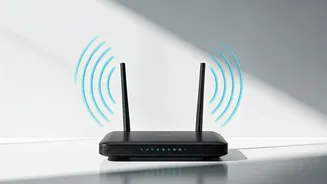

Central Positioning is Key
The placement of your Wi-Fi router significantly affects the distribution of its signal. For optimal performance, the router should be positioned as centrally
as possible within your home. This helps ensure that the signal can reach all areas, minimizing dead zones and improving overall connectivity. Think of your router as a lighthouse, with its signal radiating outwards. Obstructions like walls, especially those constructed with brick or concrete, can severely hamper the signal's range. Placing the router in a central location allows the signal to overcome such hindrances effectively. Avoiding corners and enclosed spaces is crucial. Consider the layout of your home and aim for a spot that offers an unobstructed path for the signal to travel, maximizing coverage and speed for all your devices. Experiment with various locations to pinpoint the position that delivers the best results across all the rooms in your house.
Elevate for Better Reach
Height plays a crucial role in Wi-Fi signal propagation. Elevating your router can significantly boost its range and effectiveness. Position your router on a shelf, desk, or another elevated surface instead of placing it on the floor. Think of it like this: a higher vantage point allows the signal to bypass obstacles more easily, allowing it to spread more uniformly. The elevated positioning reduces the likelihood of the signal being blocked by furniture or other household items. It allows the signal to flow freely, ensuring that it can reach all areas of your house or office seamlessly. In certain conditions, an elevated position can reduce interference from other electrical appliances and equipment in your home. Experiment by raising the router gradually, while observing any improvement in signal strength or coverage areas, to find the height that works optimally for your setup.
Avoid Obstacles and Interference
Various physical obstacles and electronic devices can interfere with your Wi-Fi signal. Walls, especially those made of dense materials, can significantly weaken the signal, limiting its range. Metallic objects such as mirrors or metal furniture can also reflect and absorb the signal, reducing its efficiency. Additionally, devices like microwaves, cordless phones, and Bluetooth speakers operate on similar frequencies, leading to interference and slower speeds. Position your router away from these sources of interference and obstructions. Place your router away from appliances that use radio frequencies, aiming to place it near your primary usage locations. In case of obstructions, consider using Wi-Fi extenders or mesh systems to improve coverage. Periodic checks to identify and eliminate sources of interference and optimize your router's placement are important to ensure optimal Wi-Fi performance.
Test and Refine Placement
Once you've chosen a few potential locations for your router, the next step involves testing and refining its placement. Using a smartphone, tablet, or laptop, test the Wi-Fi signal strength in different areas of your home. Many devices come equipped with built-in Wi-Fi signal indicators, and you may find free or paid Wi-Fi analyzer apps in your app store. Walk around with your device, noting the signal strength in each room and identifying any dead zones. If you detect weak signals or dead spots in some areas, try moving the router slightly, then retesting. Making small adjustments can dramatically affect the quality of your Wi-Fi performance. Experiment with various positions, monitoring the signal strength in the problematic areas. Repeat this process until you find the ideal spot for your router, providing the best coverage and speed throughout your home.
Antenna Orientation Matters
The orientation of your router's antennas affects how the Wi-Fi signal is distributed. Most routers have two or more antennas, and the way you position them can influence signal propagation. Antennas generally radiate their signal in a perpendicular direction. For optimal coverage, try experimenting with various antenna arrangements. If your home has multiple stories, position one antenna vertically to cover the floors above and below. If your home is spread horizontally, try angling the antennas at different angles to improve coverage across the space. The perfect antenna arrangement is unique to each home environment; hence, a little bit of experimentation will provide the best results. Test the signal strength after adjusting the antennas to observe if you're getting better performance. Proper antenna orientation, combined with strategic router placement, greatly improves your network performance.