






Online Tracking Simplified
The Passport Seva Online Portal allows you to easily track your passport application. To begin, visit the official Passport Seva website. Look for the 'Track
Application Status' section, typically found on the homepage. Click on this option, which will take you to a new page where you'll input necessary details. Here, you'll generally be asked to select the application type, such as 'Passport' or 'Police Clearance Certificate (PCC)'. Then, you’ll enter the file number provided during your application. After entering the file number and your date of birth, click the 'Track Status' button. The system will then display the current status of your application. This includes details about police verification and dispatch status. Regularly checking the portal keeps you informed about any updates or potential issues that may arise during the process. The process is designed to be user-friendly, providing transparency throughout the application journey.
Using the Mobile App
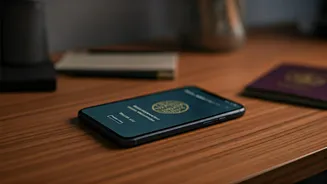
The Passport Seva Mobile App is another convenient method for monitoring your passport application. The app mirrors the functionality of the online portal and provides a similar user experience. First, download and install the official Passport Seva app from your device's app store. Once installed, open the app and find the 'Track Application Status' option. The app's interface is designed to be intuitive and easy to navigate. You'll need to enter the same information as required on the website: application type, file number, and date of birth. After submitting this information, the app will display the current status of your application, mirroring what you'd see on the online portal. The app's key advantage is its portability, allowing you to check your passport status on the go. This is particularly helpful for those who may not always have access to a computer or prefer the convenience of using their mobile device. The app ensures you stay updated regardless of your location.
Understanding Status Updates
The status updates you receive will provide you with important information about your application's progress. These updates include several key stages of the passport process. You'll see information about the initial application submission, which indicates whether your application has been successfully received. The next stage is usually police verification, which confirms that your background check is underway or has been completed. The system will also display the dispatch status, telling you when your passport is being printed and shipped. Each status update offers a clear indication of where your application is within the process. It's important to understand the typical timelines associated with each stage, so you know what to expect. Delays can occur, so regularly checking the status and understanding each update allows you to proactively address any potential problems or required actions.
Troubleshooting Common Issues
Sometimes, issues can arise during the passport application process. Being aware of these issues and how to resolve them is important. One common problem is incorrect information entered during application. If this occurs, contact the Passport Seva Kendra (PSK) to rectify the data as soon as possible. Delay in police verification can also happen due to various reasons. If your status shows prolonged police verification, follow up with the local police station to inquire about the delay and provide any requested documents. Another issue is an outdated or incomplete address. Always ensure that your current address is on your application to prevent delivery delays. If you experience delays in receiving your passport after it has been dispatched, track the package through the postal service using the tracking number provided. If the status remains unchanged for a considerable period, contact the passport office or the postal service for assistance.