






Battery Health Basics
Understanding your smartphone's battery is crucial for its longevity. Modern smartphones typically use lithium-ion batteries, which degrade over time with
each charge cycle. Charging habits significantly affect battery health. Overcharging, using incompatible chargers, and exposing the battery to extreme temperatures can cause damage. Many factors affect battery health: the type of charger, your charging habits, and even environmental conditions. A healthy battery will ensure that your phone performs at its peak for longer. Consider how you use your phone daily, including gaming, video streaming, and general use. These activities demand more energy and influence how quickly your battery drains. Choosing the right charger is the first step towards better battery health.
Charger Types Explained
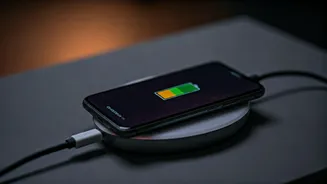
Chargers come in various types, each with its own specifications and impact on your battery. Standard chargers usually provide a consistent power output, typically around 5W. Fast chargers, on the other hand, deliver higher power outputs, often between 15W and 30W or more, allowing for quicker charging times. These chargers use technologies like Power Delivery (PD) and Quick Charge (QC) to adapt to your phone’s charging requirements, optimizing efficiency. While fast charging is convenient, it is essential to ensure that your device supports the technology, or you could risk damaging the battery. The key is compatibility; always match the charger to your phone’s specifications to avoid potential damage. Wireless chargers offer convenience but may charge your phone at a slower rate compared to wired options. Always check the specifications and recommendations from your phone manufacturer to choose a charger. The correct charger can significantly impact both your phone's charging speed and battery lifespan.
Charging Habits Matter
How you charge your phone plays a significant role in preserving battery health. Avoid overcharging your phone overnight, as this can lead to heat buildup and accelerate battery degradation. Ideally, charge your phone when the battery level is between 20% and 80%. This practice helps minimize stress on the battery, extending its lifespan. Extreme temperatures can also be detrimental. Avoid charging your phone in direct sunlight or freezing conditions, as both can affect performance and damage the battery. Use the charging cable that came with your phone or a certified replacement. This ensures that the voltage and current are consistent with your device's needs. Monitor the charging process. If your phone feels unusually hot while charging, consider switching to a slower charger or charging it in a cooler environment. Small changes in your charging routine can make a big difference in maintaining battery health.
Charger Recommendations
When choosing a charger, consider your phone's charging capabilities. If your phone supports fast charging, choose a charger with the appropriate wattage. Check the user manual for the correct power specifications. Look for chargers from reputable brands that adhere to safety standards and offer features like overcharge protection. Certified chargers guarantee that the device has passed rigorous tests for performance and safety. Consider factors such as USB-C and USB-A compatibility. USB-C chargers provide faster charging speeds, while USB-A chargers may be compatible with older devices. Check for features like multiple ports. This allows you to charge multiple devices at once. Reading reviews and comparing different chargers can also provide insights into their performance and reliability. Choosing a charger is an essential step towards optimizing both charging speed and battery longevity. Consider investing in a charger that is compatible with your device, offers the right wattage and safety features.
Troubleshooting Battery Issues
If you experience issues with your phone's battery health, several troubleshooting steps can help resolve them. Check your phone's battery settings to identify apps that consume excessive power. Reduce background activity for apps that you don’t frequently use. Reduce screen brightness. This is a big drain on battery life. Disable features like location services, Bluetooth, and Wi-Fi when you're not using them, as they constantly use the battery. If your battery drains quickly, try a different charger or charging cable. Sometimes the problem might be with the cable and not the charger itself. Consider calibrating your battery by allowing it to drain completely and then charging it to 100%. If you continue experiencing issues, contact your phone's manufacturer or visit an authorized service center for a battery replacement. A few simple steps can help you diagnose and troubleshoot common battery problems, ensuring your device functions smoothly.