






What is the story about?
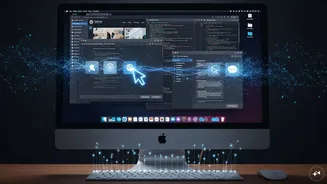
Anthropic has introduced a new update to its AI assistant Claude, allowing it to operate a user’s computer directly. The feature, currently in research preview, enables Claude to open applications, navigate browsers, and complete tasks across a desktop environment.
It is available withinClaude Cowork and Claude Code, limited, for now, to the macOS desktop app. Windows support has not yet been rolled out.
The update shifts Claude beyond chat-based responses. It can now act. Click, type, move between tools. Much like a user would.
Claude Computer Use feature: How it works across apps and browser
Claude follows a layered approach when completing tasks.
It starts with connectors. If services like Gmail, Google Drive, or Slack are linked, Claude uses those first. Faster. More reliable.
If no connector is available, it moves to the browser. It can navigate Chrome and complete actions there.
Last comes screen interaction. That means direct control - clicking buttons, typing into fields, opening files. Slower, but broader in scope.
Anthropic notes that Claude “prioritises the fastest method,” adding that direct integrations reduce errors compared to screen-based navigation.
What tasks Claude can handle
The feature allows Claude to work across local files and applications.
It can compile a report using stored documents.
Fill spreadsheets with data pulled from different sources.
Test an app through a phone simulator.
Even navigate internal dashboards that lack integrations.
It can continue working while the user steps away. The system only requires the computer to remain on and active.
Permissions and data visibility
Access is not automatic.Claude asks before interacting with each application.
Users must approve every request. Some categories - including financial and trading platforms - are blocked by default.
There is a trade-off. Claude relies on screenshots to understand the interface. That means it can see whatever is visible on the screen at the time, including personal or sensitive information.
Anthropic advises caution. “Be mindful of what’s visible,” the guidance notes, suggesting that the user close confidential files before enabling the feature.
Limitations and availability of Claude Computer Use feature
The system includes restrictions. Claude is trained to avoid actions like handling sensitive data, executing financial transactions, or scraping facial images. Still, the company acknowledges these guardrails are not absolute.
There are other limits. The desktop must remain active. Complex workflows may require multiple attempts. Screen-based actions are slower than integrations.
The feature is available only on Pro and Max plans. Team and Enterprise tiers are excluded for now.
For the moment, it remains a preview. Functional, but still being tested in real-world use.
It is available withinClaude Cowork and Claude Code, limited, for now, to the macOS desktop app. Windows support has not yet been rolled out.
The update shifts Claude beyond chat-based responses. It can now act. Click, type, move between tools. Much like a user would.
Claude Computer Use feature: How it works across apps and browser
Claude follows a layered approach when completing tasks.
It starts with connectors. If services like Gmail, Google Drive, or Slack are linked, Claude uses those first. Faster. More reliable.
If no connector is available, it moves to the browser. It can navigate Chrome and complete actions there.
Last comes screen interaction. That means direct control - clicking buttons, typing into fields, opening files. Slower, but broader in scope.
Anthropic notes that Claude “prioritises the fastest method,” adding that direct integrations reduce errors compared to screen-based navigation.
What tasks Claude can handle
The feature allows Claude to work across local files and applications.
It can compile a report using stored documents.
Fill spreadsheets with data pulled from different sources.
Test an app through a phone simulator.
Even navigate internal dashboards that lack integrations.
It can continue working while the user steps away. The system only requires the computer to remain on and active.
Permissions and data visibility
Access is not automatic.Claude asks before interacting with each application.
Users must approve every request. Some categories - including financial and trading platforms - are blocked by default.
There is a trade-off. Claude relies on screenshots to understand the interface. That means it can see whatever is visible on the screen at the time, including personal or sensitive information.
Anthropic advises caution. “Be mindful of what’s visible,” the guidance notes, suggesting that the user close confidential files before enabling the feature.
Limitations and availability of Claude Computer Use feature
The system includes restrictions. Claude is trained to avoid actions like handling sensitive data, executing financial transactions, or scraping facial images. Still, the company acknowledges these guardrails are not absolute.
There are other limits. The desktop must remain active. Complex workflows may require multiple attempts. Screen-based actions are slower than integrations.
The feature is available only on Pro and Max plans. Team and Enterprise tiers are excluded for now.
For the moment, it remains a preview. Functional, but still being tested in real-world use.