



1. Computer and Internet Activity Monitoring
This is the most common form of digital surveillance. So-called "bossware" can log everything you do on a company device. This includes tracking which websites you visit, how long you spend on each page, and which applications you use. Some tools go even
further by taking screenshots of your screen at random intervals or even recording your screen continuously. The software often categorizes sites and apps as "productive" or "unproductive" to generate a productivity score. Over 70% of U.S. employers now use some form of online monitoring tool. The goal is often to ensure employees are focused on work tasks during work hours, but it provides a granular look into your digital habits.
2. Email and Communication Scanning
Your work email and messaging platforms like Slack or Microsoft Teams are not private. Employers generally have the legal right to monitor communications on their own networks and devices. Automated systems can scan emails and messages for specific keywords related to security threats, proprietary information, or inappropriate conduct. While the stated purpose is often compliance and security, these tools give employers the ability to review the content of your conversations. Some states require employers to notify you of this monitoring, but as a rule of thumb, you should assume any digital communication on a work account or device is accessible to your employer.
3. Keystroke Logging
One of the more invasive methods is keystroke logging, where software records every single key you press on your keyboard. This means everything from passwords and private messages to fragments of a half-written email can be captured. While employers might justify this for security reasons—like detecting unauthorized activity—it's highly controversial due to its impact on privacy. This software can also measure "activity levels" based on keyboard and mouse movement, flagging employees as "idle" if they step away from their computer for too long. This creates a culture of constant activity, where performance is measured by physical interaction with the device rather than actual output.
4. Video and Physical Location Tracking
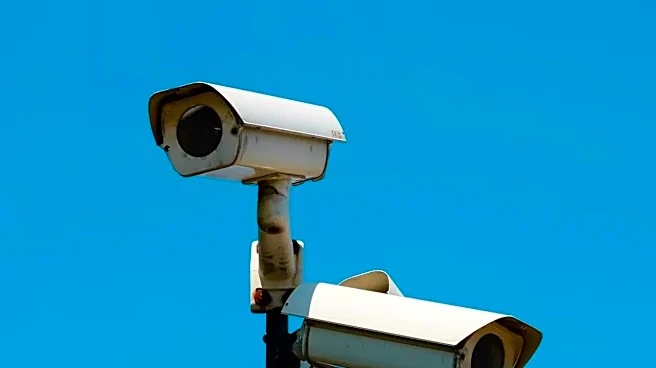
Old-school video surveillance is still a major component of workplace monitoring, used by a majority of employers to monitor common areas like entrances, warehouses, and sales floors for security. However, the technology has advanced. Today, it can be paired with AI to analyze employee behavior. Legally, surveillance is prohibited in areas with a reasonable expectation of privacy, like restrooms and locker rooms. For remote or field employees, GPS tracking on company vehicles or phones is also common. This allows companies to monitor delivery routes, track assets, and verify employee locations during work hours. The key distinction is that tracking off-duty conduct can cross legal lines.
5. AI-Powered Productivity Analysis
The newest frontier is algorithmic management, where AI doesn't just watch—it judges. These systems collect data from all the previously mentioned sources—app usage, keystrokes, emails, and even video feeds—to generate automated productivity scores and performance analytics. The software creates patterns of what it considers an ideal worker and flags deviations. This can influence everything from task assignments to performance reviews and even termination decisions, sometimes with little human oversight. While companies see it as an objective way to manage a distributed workforce, critics worry it reduces employees to data points and creates a high-pressure, algorithm-driven work environment.