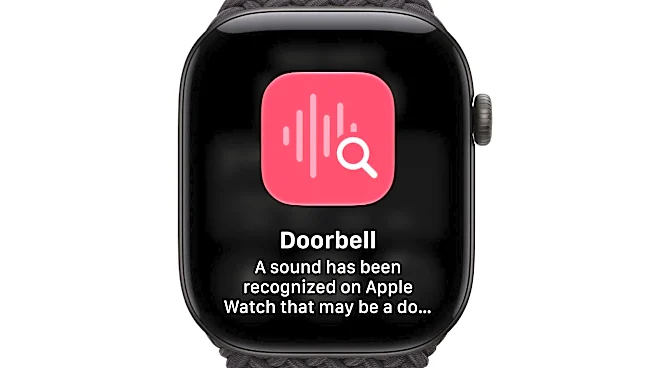








Amid conversations about the security of smart glasses, Apple is releasing two new smartwatches that can record ambient audio.
In addition to the highly anticipated iPhone Duo − the first foldable iPhone − Apple announced two new smartwatches on Sept. 9, both with the capability to listen, recall and summarize various sounds and conversations.
The Apple Watch Series 12 and Apple Watch Ultra 4, available for purchase in October, feature the tech giant's new Audio Intelligence features, powered by artificial intelligence. When enabled by a user, the features include sound and music recognition, picking up sounds like sirens, alarms or doorbells and alerting a user, or identifying the song title of music playing in the background.

Audio Intelligence
also includes Live Rewind, which lets a user tap the watch and recap the last 15 seconds of audio caught by the smartwatch in a summarized text. When Live Rewind is activated, the smartwatch plays a chime and displays a microphone animation to indicate to the user and others nearby that the feature is activated, according to Apple Support.
And the new Siri Recap "ambiently" takes notes throughout the day, creating AI-generated summaries for various conversations. Siri Recaps auto-delete after seven days of collection, according to Apple Support.
How to turn off 'always listening' feature on Apple Watch
All Audio Intelligence features are opt-in, according to Apple Support, meaning a user must manually turn them on. These features are not automatically enabled.
Audio Intelligence settings can be adjusted in the Watch app on a user's iPhone.
How does the Apple Watch collect, record and save audio?
Audio Intelligence features do not create audio recordings, the Apple Support website states.
"Audio flows into a protected buffer inside the S11 chip's Secure Exclave," a hardware that processes data separately from the rest of the device's system, Apple Support continues. This data cannot be processed or analyzed by the smartwatch's operating system, other apps, the user or Apple because the data is "never stored or accessible."

Users who enable iCloud with two-factor authentication may save and sync Siri Recaps and Live Rewind texts across devices with end-to-end encryption, according to Apple Support. Only the user can access this data on devices signed into the iCloud account.
New audio features pose security questions
Some are concerned about the security of Apple's new Audio Intelligence features.
"Apple Watch's new AI features are normalizing the idea that technology is always listening," one Reddit user said in the technology sub-Reddit. "Just because it can be done doesn’t mean it should," another commented.

In recent weeks, Meta has received backlash for its smart glasses, capable of capturing photo and video. Some users were removing the capture LED light on the front frame of the glasses, which indicates when the wearables are recording. Without the light, others wouldn't know when the glasses were recording. In effort to stop modifications, Meta released a new update that disables the glasses if the light is "physically tampered with or destroyed."
Though Apple Watch's Audio Intelligence features are opt-in for users, and features like Live Rewind notify users and those nearby with a chime and visual display before recording, some still aren't too sure.
"I’ll have to ask everyone I’m sitting with, 'Is your Apple Watch recording off, please?' What an absolutely insane feature," a Reddit user said in the technology sub-Reddit.
Apple declined to provide additional comment when contacted by USA TODAY on Sept. 16.
What devices are compatible with the 'always listening' feature?
Audio Intelligence is only supported on Apple Watch Series 12 and Apple Watch Ultra 4. According to Apple Support, iPhones that support the features include
- iPhone 16
- iPhone 16 Plus
- iPhone 16 Pro
- iPhone 16 Pro Max
- iPhone 17
- iPhone 17e
- iPhone 17 Pro
- iPhone 17 Pro Max
- iPhone Air
- iPhone 18 Pro
- iPhone 18 Pro Max
- iPhone Duo
Greta Cross is a national trending reporter at USA TODAY. Story idea? Email her at gcross@usatoday.com.
This article originally appeared on USA TODAY: How to turn off the new 'always listening' feature on Apple Watches