







1. Raise Your Monitor to Eye Level
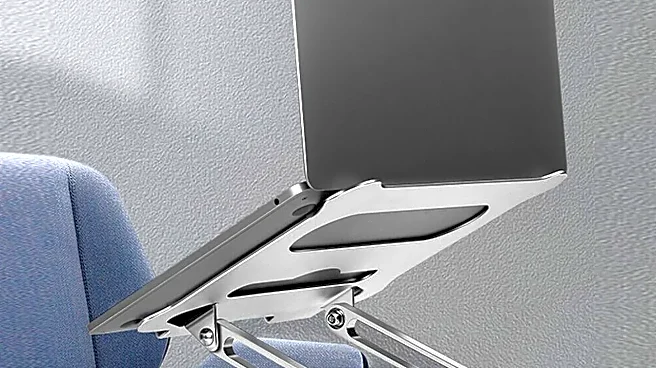
Hunching over to see your screen is a primary cause of neck and shoulder pain. The ergonomic benchmark is simple: position your monitor so the top edge of the screen is at or slightly below your eye level. This keeps your head upright and your neck in a neutral,
relaxed position. You shouldn't have to tilt your chin up or down to see your work. A stack of books, a dedicated monitor stand, or an adjustable arm can get you there.
2. Align Your Keyboard and Mouse
Your keyboard and mouse should be positioned to keep your elbows bent at roughly a 90-degree angle, with your wrists straight and your shoulders relaxed. Don't place them on different levels or too far away, which forces you to stretch and puts strain on your arms and shoulders. Keep the mouse close to the keyboard to avoid unnatural reaching. When you're not actively typing or clicking, try to relax your hands rather than hovering over the devices.
3. Perfect Your Chair Height
Your chair is the foundation of your posture. Adjust the height so your thighs are parallel to the floor and your feet can rest flat. If your feet dangle, it can restrict blood flow and cause discomfort; in that case, use a footrest. Your knees should be bent at approximately 90 degrees. A chair that’s too high puts pressure on your thighs, while one that's too low can encourage slouching.
4. Support Your Lower Back
The natural S-shape of your spine needs support, especially in the inward curve of your lower back (the lumbar region). An ergonomic chair will have adjustable lumbar support to fill this gap, reducing pressure on your spinal discs. If your chair lacks this feature, a rolled-up towel or a dedicated lumbar pillow can provide the necessary support to prevent you from slumping and straining your back muscles.
5. Check Your Screen Distance
Your monitor should be close enough to read without leaning in, but far enough to avoid eye strain. A good rule of thumb is to place it about an arm's length away—roughly 20 to 26 inches from your eyes. If you have a larger screen, you may need to add a few more inches of distance to comfortably see the entire display without excessive head movement.
6. Eliminate Glare and Bad Lighting
Eye strain from poor lighting is a major source of fatigue and headaches. Position your monitor perpendicular to windows, not directly in front of or behind them, to avoid glare. Your workspace should have balanced, layered lighting—a combination of general ambient light and focused task lighting. An adjustable desk lamp placed to the side can illuminate your work area without shining directly on your screen or into your eyes.
7. Keep Your Feet on the Floor
Dangling feet or sitting with your legs crossed can throw your entire posture out of alignment, putting stress on your hips and lower back. Adjust your chair so that your feet can rest firmly and flatly on the floor. If raising your chair to the correct height for your desk leaves your feet hanging, a footrest is a non-negotiable accessory. It provides stability and helps maintain proper knee and hip angles.
8. Organize Your Immediate Workspace
Constantly twisting or stretching to reach for your phone, a notepad, or your water bottle contributes to micro-strains that add up over the day. Keep frequently used objects within easy arm's reach without needing to twist your torso or over-extend your shoulder. A clean, organized desk isn't just about aesthetics; it's about efficient, ergonomic movement.
9. Use a Document Holder
If your work requires you to look back and forth between papers and your screen, you're repeatedly twisting your neck. This can be easily solved with a document holder. Placing your papers on a stand next to your monitor keeps them at a similar height and distance as your screen. This simple tool minimizes neck and eye movement, reducing strain and making your workflow much more comfortable.
10. Incorporate Movement
The most ergonomic posture is your next posture. Even a perfect setup can't negate the strain of sitting still for hours. Set a reminder to get up, stretch, and walk around for a few minutes every hour. Consider a sit-stand desk or a converter to alternate between sitting and standing. These small movement breaks improve circulation, reset your posture, and give your muscles a much-needed break from static positions.