






The Mandatory Software Bill
Many ultra-budget laptops don't come with the essential software needed for coursework. While some schools offer Microsoft Office 365 for free, it's not a guarantee. If you have to buy it yourself, a subscription is necessary. Beyond that, specific majors
might require paid software for video editing, statistics, or design, which can run into hundreds of dollars. Free alternatives exist, like Google Docs or LibreOffice, but they may not have full compatibility with a professor's required file formats or features. Even tools for grammar checks or citation management can come with premium subscription costs for full functionality.
The Dongle and Accessory Tax
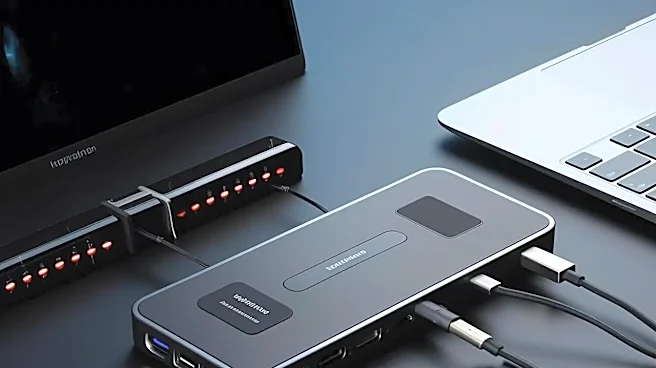
To achieve a low price and thin profile, cheap laptops often cut down on the number of ports. If your new machine only has one or two USB-C ports, you'll immediately need to buy a multiport hub or 'dongle' to connect a flash drive, external monitor, or even a wireless mouse. A reliable USB-C hub can cost anywhere from $35 to $80. You might also find the built-in webcam and microphone are low-quality, forcing an upgrade for clear participation in virtual classes or meetings. These small accessory purchases can quickly add up.
The Storage Space Squeeze
A common corner cut on budget laptops is minimal internal storage—often just 128GB or 256GB. After the operating system and essential programs are installed, you might be left with very little space for your own files, projects, and photos. This forces you to spend more on external storage. A portable SSD offers the best performance and durability for a student on the go, but it represents an additional cost. Alternatively, you could pay for a monthly cloud storage subscription if you exceed the free tiers offered by services like Google Drive or OneDrive.
The Short-Lived Battery Burden
Impressive battery life is a feature often reserved for more premium models. A cheap laptop might only last a few hours on a single charge, which is a major problem for a student running between classes, the library, and study groups. This forces you to carry your charger everywhere, constantly hunt for outlets, or purchase a portable power bank. A battery that can't hold a charge disrupts your workflow and can be a source of constant stress, especially during long lectures or late-night study sessions where power outlets are a scarce resource.
The Durability Deficit
Budget laptops are typically made with less expensive, less durable materials. The hinges can weaken, the plastic casing can crack, and the keyboard might fail from the wear and tear of being tossed in a backpack every day. An out-of-warranty repair can be devastatingly expensive. A screen replacement alone can cost between $159 and $399. Other common repairs like a keyboard or charging port fix can easily run over $100. In many cases, the cost of a single major repair can approach the initial price of the laptop itself, forcing a difficult decision between fixing it and buying a new one.
The Performance Penalty and Early Replacement
The most significant hidden cost is often the loss of productivity and the potential need for an early replacement. A slow, underpowered laptop can struggle with running multiple applications, a common need for students juggling research, writing, and communication. An IT or engineering student, for example, might find their budget machine can't handle the specialized software required for their courses, forcing them to buy a new, more capable laptop mid-degree. This effectively doubles the cost, turning the initial 'deal' into a much more expensive lesson.