




1. A Large, Readable Display
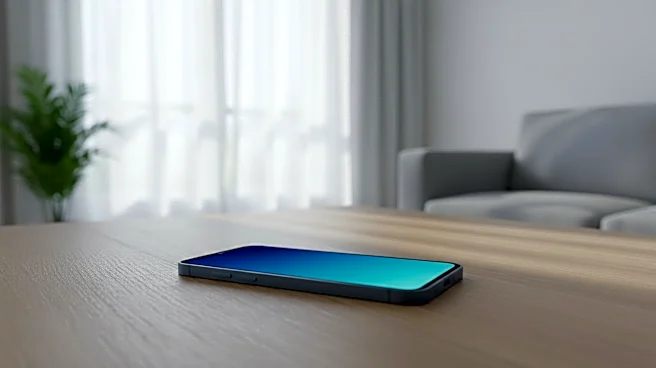
Vision changes are a natural part of aging, making small text and icons a significant source of frustration. A phone with a large, bright, and high-contrast screen is a must. Look for devices that not only have a physically larger display but also offer
robust settings to increase text size, bold fonts, and enhance contrast. This makes everything from reading text messages to navigating apps easier on the eyes, reducing strain and the need to constantly pinch-and-zoom. When shopping, test the screen in various lighting conditions to ensure it remains clear and readable.
2. A Simple, Intuitive Interface
A cluttered screen with dozens of apps can be intimidating. The best phones for seniors offer a simplified user experience, often called an "easy mode" or "simple launcher." This feature streamlines the home screen, presenting only core functions like calls, messages, and a camera with large, easy-to-tap icons. It strips away the non-essential clutter, which builds confidence and reduces the fear of “pressing the wrong button.” For those who find touchscreens tricky, some phones still offer physical buttons, providing tactile feedback that many users prefer.
3. Loud and Clear Audio
Hearing loss can make phone conversations difficult. A senior-friendly phone should provide enhanced audio with a loud speaker and clear call quality. Many devices designed for older adults feature amplified volume that is significantly louder than standard cell phones. This isn't just about cranking up the volume; it's about clarity. The audio is often tuned to make voices sound sharper and less muffled, ensuring that conversations with family and friends are heard without strain.
4. Hearing Aid Compatibility (HAC)
For those who use hearing aids, Hearing Aid Compatibility (HAC) is a critical feature. Phones with a high HAC rating, such as M4/T4, are designed to reduce the buzzing, whistling, and interference that can occur when a hearing aid is near a mobile device. Furthermore, many modern hearing aids can connect directly to a smartphone via Bluetooth. This allows call audio, music, and other sounds to stream directly into the user's hearing aids, providing an exceptionally clear and private listening experience.
5. A Dedicated Emergency/SOS Button
Peace of mind is priceless, and a dedicated emergency or SOS button provides just that. Often located on the side or back of the phone, a single press can automatically dial a pre-selected emergency contact, a monitoring service, or 911. Some advanced systems can also send a text message with the user's GPS location to designated family members. This feature is invaluable in a fall or medical emergency, eliminating the need to unlock the phone, find the contacts app, and dial a number under duress.
6. Long and Reliable Battery Life
A phone is only useful if it's charged. A long-lasting battery means less worry about the device dying at a critical moment. Look for phones that can easily last a full day or more on a single charge. Beyond battery capacity, consider the charging method. Some senior-focused phones come with a charging cradle or dock. This eliminates the need to fumble with small, difficult-to-handle cables, making the daily ritual of charging the phone simple and foolproof.
7. Voice Commands and Dictation
For seniors who have difficulty with typing on a small screen due to arthritis or tremors, voice commands are a game-changer. Built-in assistants like Apple's Siri or Google Assistant allow users to make calls, send text messages, set reminders, and ask for information simply by speaking. Voice-to-text dictation turns spoken words into written messages, making texting fast and accessible without needing to type a single letter. This hands-free control empowers users to leverage the phone's power with ease.
8. A Good, Simple Camera
A phone's camera is for more than just family photos. While capturing memories is important, a high-quality camera can also be a practical tool. It can be used as a magnifying glass to read the fine print on prescription bottles or mail. It can also be used to snap a picture of a confusing bill to send to a family member for help. A good camera for a senior should be easy to use, with a simple interface for taking and sharing photos, rather than being bogged down with complicated professional settings.
9. GPS and Location Sharing
GPS and location-sharing features offer an extra layer of safety, especially for seniors who live alone or have memory challenges. These tools allow trusted family members or caregivers to see the user's location in real-time through a secure app. This can provide immense reassurance, whether it's confirming a safe arrival at a doctor's appointment or being able to provide assistance quickly if the user becomes lost or disoriented. Some smartphones can even be set up with fall detection, which automatically alerts emergency contacts if a hard fall is detected.
10. Stored Medical Information
Modern smartphones offer a feature to store vital medical information that can be accessed from the lock screen in an emergency. This "Medical ID" or emergency information screen can display crucial details like blood type, allergies, medications, and emergency contacts for first responders to see without needing to unlock the device. Setting this up takes only a few minutes but can be life-saving, providing critical health data to paramedics when a person may be unable to communicate it themselves.