









1. The All-Important Second Screen
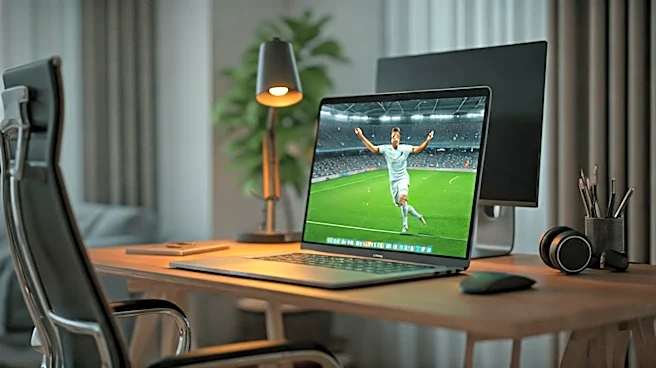
This is the bedrock of your entire operation. A single laptop screen is an amateur’s game, forcing you to constantly switch tabs and risk exposing a full-screen feed of a thrilling counter-attack during a surprise screen-share. Your goal is plausible
deniability. An external monitor is non-negotiable. Position your work laptop as the primary, center-stage device. The second screen, placed slightly to the side, is your match-day portal. The key is the 'flick glance.' You're not staring intently; you're absorbing the game in peripheral bursts. This setup allows you to keep your Slack, email, and actual work front and center, while the game hums along unobtrusively beside it. A quick turn of the head is all it takes to catch a replay, but to any observer on a video call, you just look like you're contemplating a complex spreadsheet.
2. The Art of Discreet Audio
Loud, cheering announcers are the number one threat to your clandestine viewing. Blasting the audio through speakers is out of the question. Even bulky, over-ear headphones scream "I am currently unavailable for worldly distractions." The solution is a single, discreet wireless earbud. Think of it as your secret service earpiece. Keeping one ear free allows you to remain situationally aware — you can hear if your spouse, roommate, or a delivery person needs you. More importantly, you can hear the 'ping' of an urgent work notification. With one bud in, you get the ambient sound of the crowd and the commentator's low murmur. When the action heats up, the audio is your cue to glance over. For bonus points, get earbuds with a quick-tap mute function for when your boss calls you unexpectedly on Zoom.
3. Master the Mute and Minimize
Technology is your friend, but it can also betray you. You need to be the master of your digital domain, capable of silencing a roaring stadium in a fraction of a second. Don't stream the game in a browser tab you might accidentally close. Use a dedicated app from your streaming provider (like Fox Sports, Fubo, or Peacock) if available. These apps often run more smoothly and can be minimized to the taskbar instantly with a keyboard shortcut. Learn it. Practice it. Make Alt-Tab (on Windows) or Command-Tab (on Mac) your closest ally. You should be able to cycle from the game to a neutral, work-appropriate screen so fast it looks like a magic trick. This muscle memory is what separates the seasoned professional from the person awkwardly explaining why their screen is showing a replay of a questionable penalty kick.
4. The Calendar Block Defense
Your calendar is your first line of defense. An open, meeting-free schedule is an invitation for interruption. Be proactive. The moment the tournament schedule is released, identify the can't-miss matches that fall during your working hours. Now, go into your work calendar and block off those 90-minute slots. Don't label them "USA vs. Uruguay." Label them with corporate-speak that radiates productivity: "Deep Work: Q3 Strategy Prep," "Focus Time: Project Scoping," or the elegantly vague "Heads Down Session." This move discourages colleagues from scheduling meetings and provides a legitimate-looking reason for you to be slightly less responsive on instant messenger. You're not avoiding work; you're engaging in deep, strategic thinking that just so happens to coincide with kick-off.
5. The Decoy Screen
Even with perfect planning, you might get a surprise video call that requires you to share your screen. This is a code-red scenario. That's where the 'decoy screen' comes in. Always have a work-adjacent, but ultimately passive, browser tab or document ready to go. Think a long industry report you're 'reading,' a corporate training video on mute, or even a live stock ticker if you're in finance. If you get the dreaded "Can you share your screen and walk me through it?" request, you can confidently Alt-Tab from the game to your decoy, share that screen, and carry on. No one will be the wiser, and you'll look like you were diligently engaged in professional development the entire time.