
1. Ignoring the Audio Experience
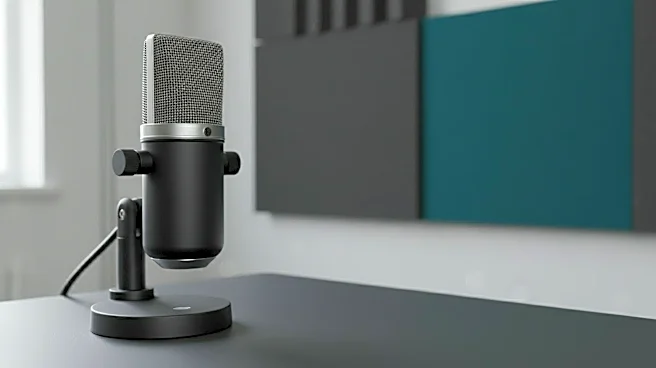
Viewers might forgive grainy video, but they will not tolerate bad audio. This is the cardinal sin of streaming. Many new creators focus entirely on their microphone’s quality but neglect the overall audio mix.
A clear voice is crucial, but it’s useless if it's drowned out by explosive in-game sounds or completely overpowers your teammates in a multiplayer session. Viewers should not have to constantly adjust their volume. Spend time in your broadcasting software, like OBS, learning to use audio filters. A noise gate can eliminate background sounds, a compressor can level out your voice so you don't peak when you shout, and proper sidechaining can automatically lower game volume when you speak. A balanced audio mix is a sign of a professional, watchable stream.
2. Having a Cluttered On-Screen Overlay
Your overlay—the graphics on top of your gameplay or camera feed—should enhance the viewing experience, not dominate it. A common mistake is filling the screen with oversized social media handles, distracting animations, massive borders, and a log of every recent follower and donation. Less is more. Your content, whether it's your face or your gameplay, should be the star of the show. An effective overlay is clean, minimal, and provides useful information without covering crucial in-game elements like a map or scoreboard. It should reflect your brand's personality, but its primary job is to be unobtrusive. A cluttered screen can feel overwhelming and amateurish, driving potential new viewers away before they’ve even had a chance to appreciate your content.
3. Treating Chat Like an Afterthought
Live streaming is a two-way conversation. If you wanted to simply broadcast gameplay with no interaction, you could just upload a video to YouTube. The magic of platforms like Twitch and Kick is the real-time community engagement. Ignoring your chat is one of the fastest ways to lose an audience. People stick around when they feel seen and heard. Acknowledge new followers, respond to questions, and build inside jokes with your regulars. This can be challenging, especially during intense gameplay, but finding a system is key. Using a second monitor for chat is the ideal setup, but even a phone or tablet placed nearby will work. You can also use transparent chat overlays that sit on top of your game, ensuring you never miss a message. Your community is your channel's foundation; treat them that way.
4. Streaming Without a Consistent Schedule
Streaming whenever you feel like it works if you're doing it purely as a hobby, but it's a critical error if you're trying to grow an audience. A consistent schedule is the appointment viewing of the streaming world. It lets your community know exactly when to find you, making it easier for them to build your stream into their routine. Platforms like Twitch even send out notifications when you go live, and a predictable schedule makes those alerts more effective. You don't need to stream every day, but choosing specific days and times and sticking to them is vital for building a reliable viewer base. Post your schedule prominently on your channel and social media to set expectations and build anticipation for your next broadcast.
5. Poor Lighting and Video Framing
You don't need a Hollywood-level studio, but a grainy, poorly lit webcam feed makes your stream look unprofessional. Many streamers rely on the ambient light from their monitor or a single overhead room light, which creates harsh shadows and a flat, unappealing image. Investing in a simple key light—a main light source placed in front of you—can dramatically improve your camera quality. Combine that with a fill light to soften shadows and maybe a backlight to separate you from your background, and you’ll create a sense of depth and professionalism. Pay attention to your framing as well. Your camera should be at eye level, and you should be centered with a clean, non-distracting background. A little effort in your visual presentation goes a long way.
6. Not Understanding Bitrate and Resolution
Many streamers copy the settings of top-tier creators—streaming at 1080p and 60 frames per second—without understanding the technical requirements. Your bitrate is the amount of data you send to the streaming platform. If it's too low for your chosen resolution and frame rate, your stream will look pixelated and blocky during fast motion. If it's too high for your internet's upload speed, your stream will buffer and drop frames, making it unwatchable. It's also important to remember your audience. Streaming at a very high bitrate might look great, but it can make it difficult for viewers with slower internet to watch smoothly, especially if you're not a Twitch Partner with transcoding (quality options). Find the right balance for your internet speed and your target audience to deliver a smooth, stable viewing experience.