








Set Up Your Digital Decoy
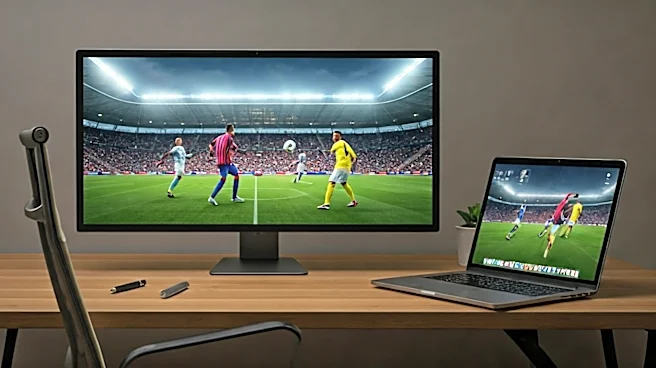
This is the foundational move. Your main monitor, the one in your webcam’s direct line of sight, is for work. It should have a plausible-looking spreadsheet or document open at all times. Your second monitor, angled away from the camera, is your stadium.
For the truly paranoid, a privacy screen on the game monitor makes you practically invisible. The key is to create a setup where a quick glance away doesn’t look like you’re staring into space, but rather “consulting a second data source.” Practice the art of the subtle eye-flick, not a full, incriminating head turn. This isn’t a spy movie; it’s a tactical masterclass in peripheral vision.
Perfect the 'Engaged Nod'
Your face is the biggest giveaway. A last-minute penalty kick doesn’t exactly elicit the same expression as a discussion about Q3 revenue projections. You need to train your “meeting face.” This involves mastering the slow, thoughtful nod, the slightly furrowed brow of deep concentration, and the occasional “hmm” of contemplation. To avoid reacting to the game, try a low-grade physical distraction, like subtly tapping your foot under the desk. When your team scores, you must channel that ecstatic energy into an “enthusiastic agreement” with whatever your manager just said. “Yes, Janet, I completely agree we need to synergize that workflow!” you'll think, as you mentally celebrate the goal.
Execute the Second-Screen Gambit
For the truly committed fan in a high-stakes meeting, the second monitor is too risky. This is where your phone or a small tablet comes into play. Position it just below your webcam's field of view, propped up against your laptop screen. You'll appear to be looking down at your notes or keyboard, a common and perfectly acceptable remote work behavior. Use wireless earbuds, but only put one in—the one on the side of your head that’s off-camera. This lets you hear the game commentary while keeping one ear open for your name being called. It’s the digital equivalent of passing a note in class, and it’s just as effective.
Weaponize Your Calendar
The best way to avoid a conflict is to prevent it from being scheduled in the first place. As soon as the tournament schedule is released, get on your work calendar. Block out crucial game times with legitimate-sounding “deep work” sessions. “Focus Time: Project X Analysis” or “Prep for Client Presentation” are excellent choices. If a meeting request comes in during a must-see match, you have a built-in excuse to decline or suggest a new time. This proactive defense is your first line. It shows you’re a diligent planner, not someone trying to watch a forward miss a sitter from six yards out.
Know Your Tech Inside and Out
Modern meeting software is a minefield of potential embarrassments. Before the tournament, do a dry run. Understand exactly how your company’s preferred platform (Zoom, Teams, Meet) handles screen sharing. Know which button shares your whole desktop versus just one application. Turn off all desktop notifications—the last thing you need is a pop-up from your group chat saying “GOOOOAL!” while you’re presenting to the VP. And for the love of all that is holy, triple-check that your virtual background is firmly in place and not flickering to reveal the jersey you’re wearing under your button-down shirt.
Prepare Your Emergency Alibi
Sometimes, despite your best efforts, you get caught. A sudden gasp, an involuntary fist pump, a muttered curse at the referee. You need a pre-planned excuse. “Sorry, just saw a huge spider on the wall!” is a classic. “Wow, my dog just did the funniest thing” works if you’re a known pet owner. Another solid option is to feign a technology issue: “Whoa, my screen just flickered weirdly, did anyone else see that?” The key is to have one or two believable, go-to lines ready so you’re not fumbling for an explanation. The more absurd the on-screen action, the more mundane your alibi needs to be.