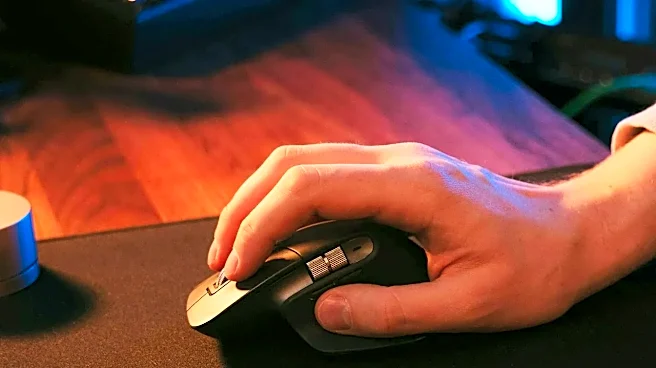




The Hidden Cost of the 'Good Enough' Mouse
The flat, symmetrical mouse that came with your computer feels familiar, but it's an ergonomic liability. Using one forces you to hold your hand palm-down, a position that twists the radius and ulna bones in your forearm. Maintaining this unnatural rotation
for hours a day, day after day, puts cumulative stress on your muscles and tendons. This can lead to a range of repetitive strain injuries (RSIs), from general muscle fatigue and 'mouse shoulder' to more serious conditions like tendonitis and carpal tunnel syndrome, which involves compression of the median nerve in the wrist. Studies show that extensive mouse use is strongly correlated with a higher risk of these painful and sometimes debilitating conditions. That dull ache you shake out at the end of the day is your body's early warning system that your 'good enough' equipment is failing you.
Ergonomics as Prevention, Not Just a Buzzword
An ergonomic mouse isn't just a fancy, comfortable accessory; it's a preventative health tool. The core principle is to support your hand in a more neutral, natural posture. This reduces muscle strain and pressure on delicate nerves and tendons. For many designs, this means adopting a 'handshake' grip, where the hand is tilted vertically. This simple change in orientation keeps your forearm bones in a more relaxed, parallel alignment, immediately relieving the rotational stress caused by a standard mouse. By matching the device to your body's natural mechanics, you’re not just chasing comfort—you're actively working to prevent the long-term wear and tear that leads to chronic pain and reduced productivity.
Why 'Ergonomic' Is Not One-Size-Fits-All
This is where buyer's guides become essential. The word 'ergonomic' doesn't refer to a single shape or style; it describes a whole category of devices designed to solve different problems. A mouse that works wonders for one person might be ineffective for another. The main types include vertical mice, which use the handshake grip to reduce forearm twist; trackball mice, which keep your arm stationary while your thumb or fingers control the cursor; and sculpted mice, which offer a more contoured, supportive version of the traditional horizontal design. A vertical mouse might be perfect for someone with wrist pain, while a trackball could be better for a person experiencing shoulder strain from constantly reaching. Without a guide, you're just guessing which solution fits your specific issue.
How to Actually Use a Buyer's Guide
A good buyer's guide does more than just list popular models. It gives you the framework to make an informed choice. First, pay attention to hand size. Manufacturers often provide sizing charts based on hand measurements, as a mouse that's too large or small will create its own strain. Next, consider your grip style—do you rest your whole palm on the mouse or guide it with your fingertips? This influences whether a larger, fuller shape or a more compact one will work for you. Finally, a guide can help you understand the trade-offs. A vertical mouse might take a few days to get used to, and a trackball requires learning a new method of control. By cross-referencing expert reviews and user feedback found in guides, you can filter for models that suit your hand, your pain points, and your daily tasks.